
Key takeaways
- Enable X (Twitter) under More on the new-chat bar (or pick a recurring Thread structure in Creation → Creation templates, 2.10.4) to turn notes, product cards, and X topics into a master Markdown draft + X package.
- Outputs adapt cleanly to every X format: punchy single posts, sequentially structured Threads (
1/Nhook variations, tight numbered beats, screenshot placeholders), or long-form X Articles with matching graphics.- True bilingual leverage: straight from the exact same verified master draft, generate companion RedNote carousels and WeChat Official Account essays without re-researching facts.
Short characters on X hide real creative effort: crafting an authentic opening hook, tightening an eight-part Thread where every single card carries a clear screenshot or metric, or laying out an in-depth X Article—and still having the energy afterward to translate and adapt that same insight for Chinese RedNote or WeChat readers.
Beav pairs master drafting with format-specific packaging so one verified piece of research powers both X and your other active channels.
Who it is for
- Founders, developers, and creators sharing product builds, tech takes, or deep breakdowns on X.
- Bilingual teams shipping original X Threads and Articles while effortlessly spinning up Chinese RedNote and Official Account editions.
- Writers refining post #1 hooks locally without spawning cluttered draft folders.
Step 1: Select X (Twitter) in a new chat to generate the bundle
- Choose X or launch a Thread blueprint. Click More on the new-chat platform bar to enable X (Twitter), or open a saved pattern from Creation → Creation templates.
- Ground the package in firsthand specs and visuals. Drag your X topic, structural breakdown, benchmarks, screenshots, or Product cards into chat and specify the target format and language:
- Single post + graphic card: pairs contrasting lead lines with 1–2 concise summary graphics;
- Numbered Thread: shapes
1/Nhooks, tight standalone beats, screenshot/clip callouts, and an unforced closing prompt; - X Article: produces well-headed long-form prose anchored in a reusable master Markdown draft.
- Edit individual tweets or graphics cleanly. Click Edit text in the right workspace package or ask AI to sharpen only post #1 while leaving the rest of the package intact. See Master drafts and packages.
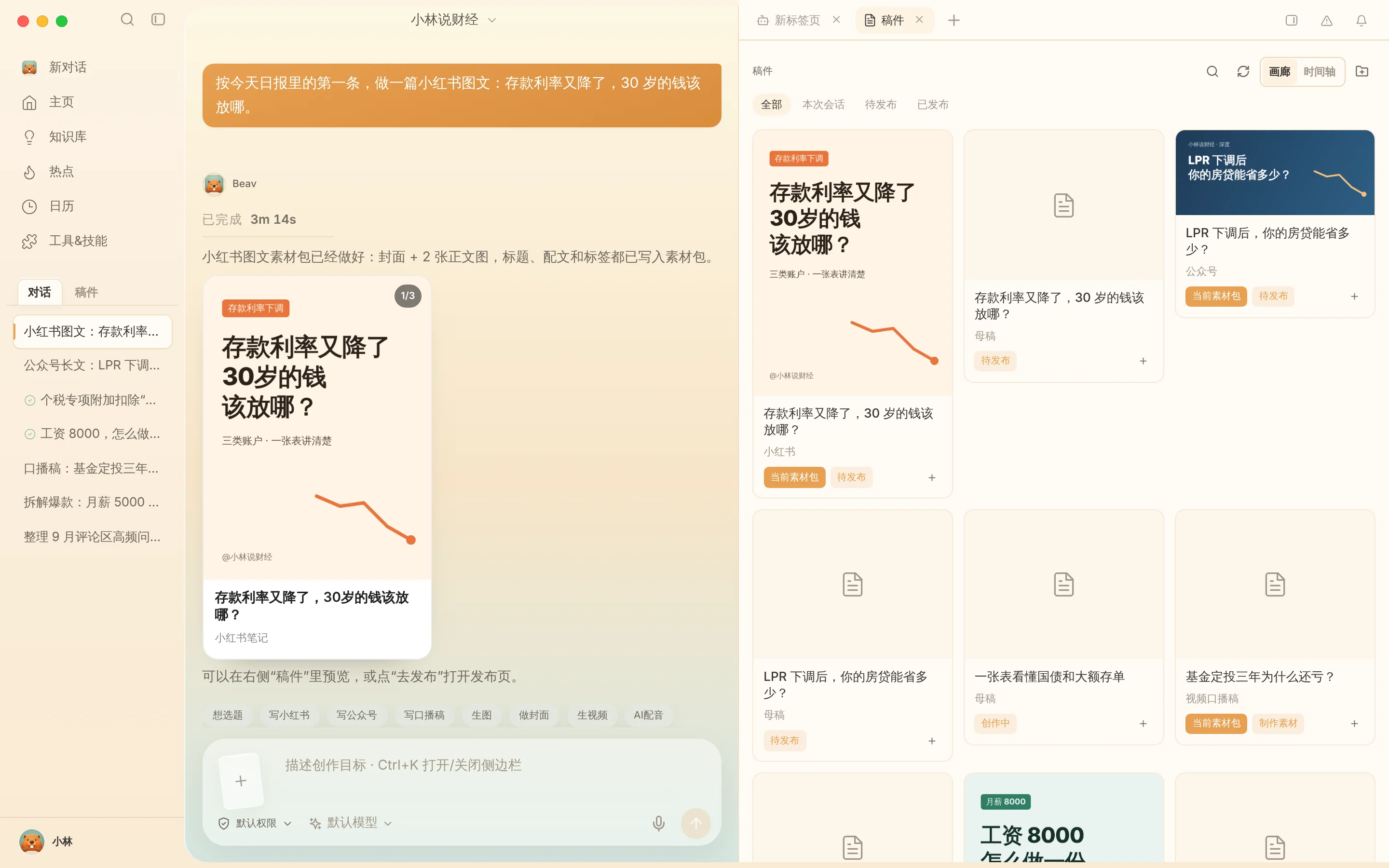
Step 2: Spin off RedNote and Official Account packages cleanly
Once every benchmark inside your master draft checks out, stay right in the chat and tell Beav to build a 3:4 RedNote image post and a formatted WeChat Official Account essay. Facts stay aligned automatically across languages while formatting adapts cleanly to each network—see One draft, many platforms.
Step 3: Verify details and post manually on X
Transfer deliverables via Save to your computer or Share to phone on the same Wi-Fi. Proofread every link, handle mention, and chart text against your real testing, post or compose your Thread / X Article directly inside X yourself (labeling synthetic visuals where appropriate), and click Mark as published for X inside Beav.
Limits and notes
- Audit wording and claims yourself. Review tone, idioms, and customer privacy details before publishing externally.
- No automated posting. Beav creates local files and never posts or schedules directly on your X account.
- Proofread text baked inside generated graphics. Check exact spelling and metric units on charts before uploading.
Next steps
- Need verified overseas leads first? Read X (Twitter) topic ideas.
- Ready to track how posts age over time? Read X (Twitter) account data review.
- Full workflow and docs: X (Twitter) operation guide and Drafts, packages and publishing.
Applies to Beav desktop 2.9 and later; X Article flows and creation templates reflect 2.10.0–2.10.4.