


Key takeaways
- Account Plan is a built-in Beav mini app that holds the current account's series direction, posting frequency and goals. You and the AI read the same document.
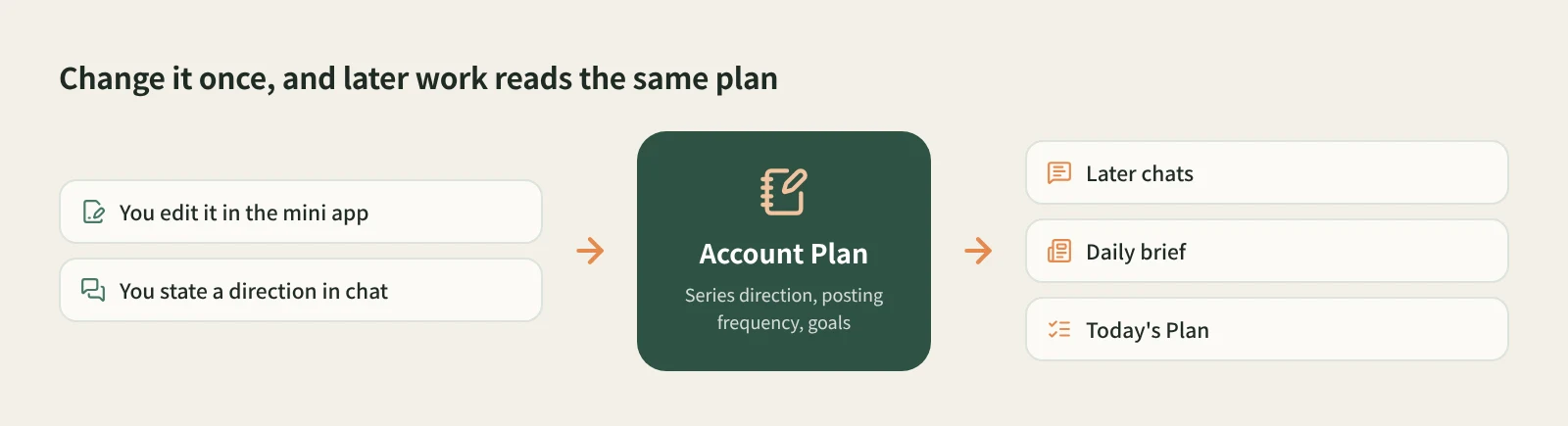
- Change it once and the AI reads the new version in later chats and daily briefs. Today's Plan uses it too, so you stop briefing the AI at the start of every chat.
- State a long-term direction or correction in an ordinary chat and the AI saves it to the plan and tells you which item it updated.
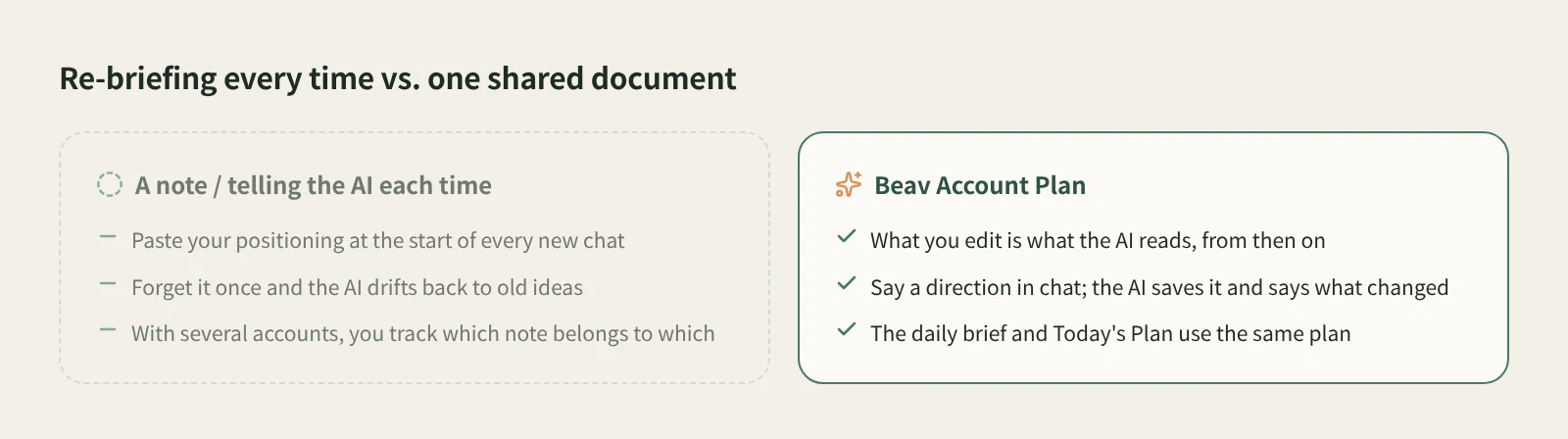
Accounts drift. Three series become two, daily posting becomes three times a week, and this quarter's goal moves from followers to brand deals. The hard part is getting the AI to keep up. The usual fix is a note with your positioning that you paste into every new chat. Forget once and the AI writes for the account it thinks you run.
Beav turns this into one document you share with the AI: the account plan. What you edit is what the AI reads, so there is never a "new version on my side, old version on the AI's side".
Who it is for
- Creators whose positioning, series or schedule changed recently and who want the AI to follow right away.
- People already using Beav's daily brief and Today's Plan who want suggestions that match the account more closely.
- Marketers running several accounts who do not want their directions to blur together.
How to use it
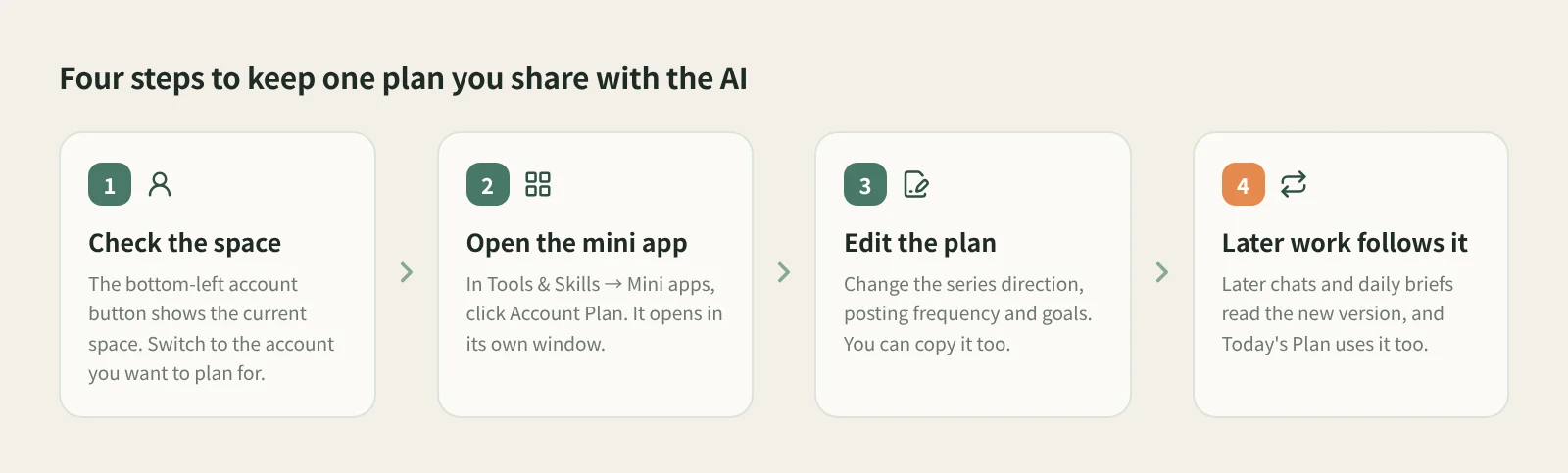
- Check the current space. Beav keeps everything in account spaces, and a space usually matches one account. The account button in the bottom-left shows the current space under your name. Switch to the space of the account you want to plan for.
- Open Account Plan. It is a built-in tool in the default Mini apps tab of Tools & Skills in the left navigation, next to Extract Video Script and Download from Links. If it is among the mini app shortcuts on Home, you can open it from there. It opens in its own window, so the main window stays usable.
- Read what is there. The plan holds the account's long-term setup: series direction, posting frequency and goals. Read it through and spot what is out of date.
- Edit it. For example, change "three series" to "two series, drop the café visits", change "daily" to "Tuesday, Thursday and Saturday", or write down this stage's goal. This is for long-term direction, not instructions for one post.
- Copy it when useful. The tool can copy the current content, handy for aligning with a teammate or keeping a copy before a big rewrite.
- See it in later work. From then on the AI reads the new version in later chats and daily briefs, and Today's Plan combines your account plan with your preferences, topics, existing drafts and recent chats when it suggests tasks.
There is no fixed format. Here is a sketch for a career-advice account; swap in your own:
Series: two. "New-hire pitfalls" covers common problems in the first three months of a job; "Friday review" breaks down one real work situation each week. No more café visits or outfits.
Frequency: Tuesday, Thursday and Saturday, with the review every Friday.
Goal: this quarter, turn "New-hire pitfalls" into a series and end each post with a nudge to save it.
You can also update it without opening the mini app. In an ordinary chat, state a long-term direction such as "from now on this account focuses on career advice, no more fashion", and the AI saves it to the account plan and tells you which item it updated. A passing "try a different angle on this one" only affects that post and leaves the plan alone.
How it compares
| A note you paste into each chat | Custom instructions or project instructions in a general AI | Beav Account Plan | |
|---|---|---|---|
| After you change it | Paste it again in every new chat | New chats pick it up automatically | Later chats and daily briefs read the new version |
| Several accounts | You track which note is for which account | Usually one global setting, or one per project | Separate per account space |
| Who updates it | Only you | Mostly you, by hand | You in the mini app, or the AI when you state a direction in chat, telling you what it changed |
| Used beyond chat | Only where you pasted it | Mainly in chat | The daily brief and Today's Plan use it too |
| Getting started | Nothing to set up, works with any tool | Easy, most AI products have something similar | Needs the Beav desktop app |
A notes file is completely free-form and travels with you to any tool. Custom instructions and project instructions in ChatGPT and similar assistants already give you "write once, applied after", which is enough if all you do is chat. What Beav adds is a plan tied to the account and read by more than the chat: the daily brief and Today's Plan pick content and line up tasks from it.
Limits and notes
- Plan, Focus and memory are stored separately. Series direction, frequency and goals live in the account plan. What the daily brief watches and its sources live in the brief's Focus. Preferences such as tone or emoji go into memory. Saying "cover X more in future briefs" changes Focus, not the plan.
- Custom instructions are something else. Custom instructions at the top of Settings → Personalization apply to all new tasks and suit general tone and ways of working. Direction specific to one account belongs in the plan.
- Changes apply going forward. The AI reads the new version in later chats and briefs.
- Clear beats long. The more specific the plan, the closer Today's Plan and brief picks fit your account. The AI makes suggestions; what you publish and when is still your call, and Beav does not publish for you.
Next steps
- See how the plan shapes daily picks: the daily ops brief.
- Let the AI propose today's tasks from the plan while you review: Today's Plan and review cards.
- Full reference: built-in mini tools and memory and writing style.
Applies to Beav desktop 2.9. Checked 2026-10-25.