Key takeaways
- Enable Weibo under More on the new-chat bar (or open Creation → Creation templates, 2.10.4) to generate a reusable master Markdown draft + Weibo content package in one pass.
- Build either punchy commentary posts (multiple lead-line hooks,
#topic#tags, and 2–6 cohesive visual info cards) or structured long-form Weibo articles, editing individual cards or paragraphs cleanly without cloning versions.- Once facts check out, ask the same chat to generate companion RedNote carousels or Official Account essays straight from the same master draft.
Posting cleanly on Weibo takes more work than typing two fast sentences. Bare text threads or sloppy phone screenshots scroll right past in noisy feeds, while formatting crisp multi-image summary cards in external design apps slows down time-sensitive takes. Worse still, once the discussion peaks, hours of research often end up trapped in one single post instead of feeding sibling channels.
Beav puts master drafting, visual card sets, single-item editing, and multi-platform repurposing inside one workspace so every well-researched take pulls double duty.
Who it is for
- Commentary, finance, tech, lifestyle, and brand accounts pairing concise headlines with clean multi-image summaries on Weibo.
- Editors mixing fast daily reactions with structured long-form Weibo articles.
- Solo creators and small teams repurposing one verified thesis across Weibo, RedNote, and WeChat Official Accounts.
Step 1: Select Weibo in a new chat to generate the package
- Choose Weibo or open a saved structure. Click More on the new-chat platform bar to enable Weibo, or pick a repeatable series format from Creation → Creation templates.
- Ground the prompt in real links and breakdowns. Drag your Weibo topic, verified source articles, decomposed Weibo structures, or screenshots into chat and state your target format:
- Short post + multi-image cards: delivers strong opening hook variants,
#hashtag#suggestions, and 2–6 matching graphic/comparison cards styled cohesively; - Weibo long-form article: produces structured sections, scannable callout summaries, and inline graphic placements backed by your master Markdown draft.
- Short post + multi-image cards: delivers strong opening hook variants,
- Edit individual text or cards in place. Click Edit text on the right package to sharpen an opening line, or ask AI to adjust just image card #3 without redoing the rest of the package. See Master drafts and packages.
Step 2: Spin off RedNote and Official Account packages cleanly
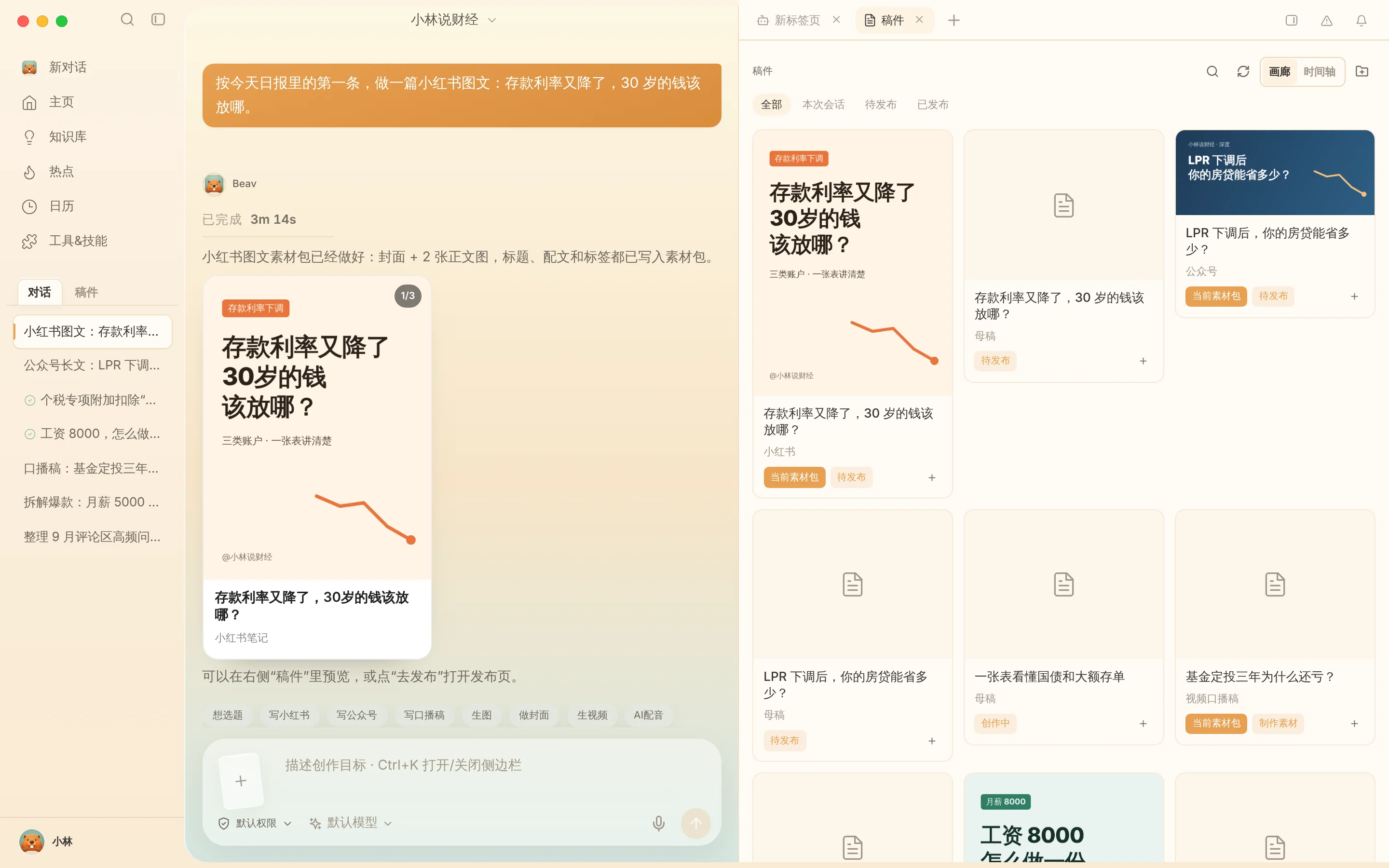
Once your Weibo master draft holds verified citations and crisp examples, stay in the same conversation and ask AI to produce a 3:4 RedNote image post (within RedNote's 1,000-character body limit) or an expanded Official Account package. Each channel keeps its own independent package and Published status—see One draft, many platforms.
Step 3: Save to computer or phone and publish manually on Weibo
Verify every statistic, label, and quote across both text and rendered graphics. Transfer files via Share to phone on the same Wi-Fi (or click Save to your computer), upload manually inside the Weibo app or web studio, mark any AI-generated visuals per platform disclosure rules, and click Mark as published for Weibo inside Beav.
Limits and notes
- Proofread text baked inside graphics. Always inspect numbers, dates, and spelling across generated visual cards against primary sources before uploading.
- No automated posting. Beav prepares local deliverables and never logs into or posts on your Weibo account for you.
- Keep workspace isolation clean when managing multiple accounts. Check built-in mini tools when working with image export cleanup utilities (remembering metadata cleanup never changes pixel watermarks or guarantees exemption from platform AI tags).
Next steps
- Still gathering hot-search and public-comment angles? Read Weibo topic ideas.
- Ready to track daily engagement snapshots after posting? Read Weibo account data review.
- Full workflow and docs: Weibo operation guide and Drafts, packages and publishing.
Applies to Beav desktop 2.9 and later; creation templates and multi-platform bundling reflect 2.10.0–2.10.4.