
Collecting examples across platforms
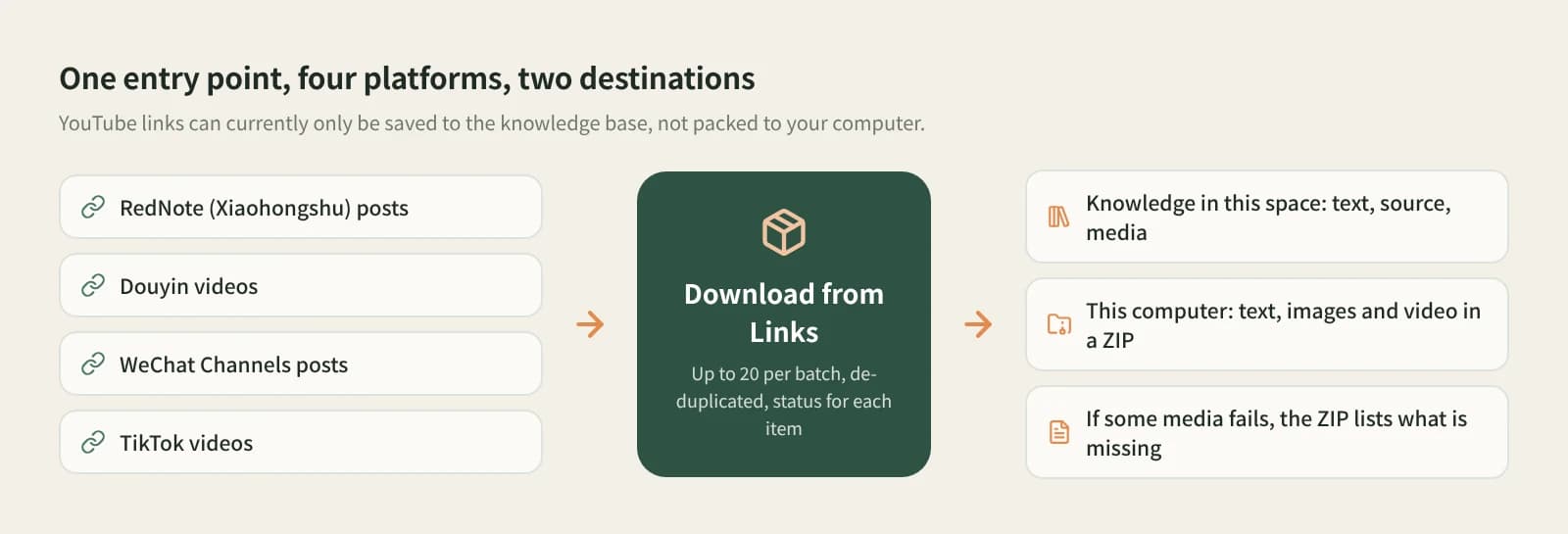
A few RedNote posts, some Douyin videos and two from Channels: paste them together, duplicates are dropped, and results go into the knowledge base for breakdown and writing.
Collect
Links from several platforms? Skip the juggling between downloaders. Paste them into one window, choose where they go, and let it work through the list.
Desktop app for macOS, Windows and Linux
A few RedNote posts, some Douyin videos and two from Channels: paste them together, duplicates are dropped, and results go into the knowledge base for breakdown and writing.
Choose This computer and the text, images and videos are packed into one ZIP in your Downloads folder, ready to send.
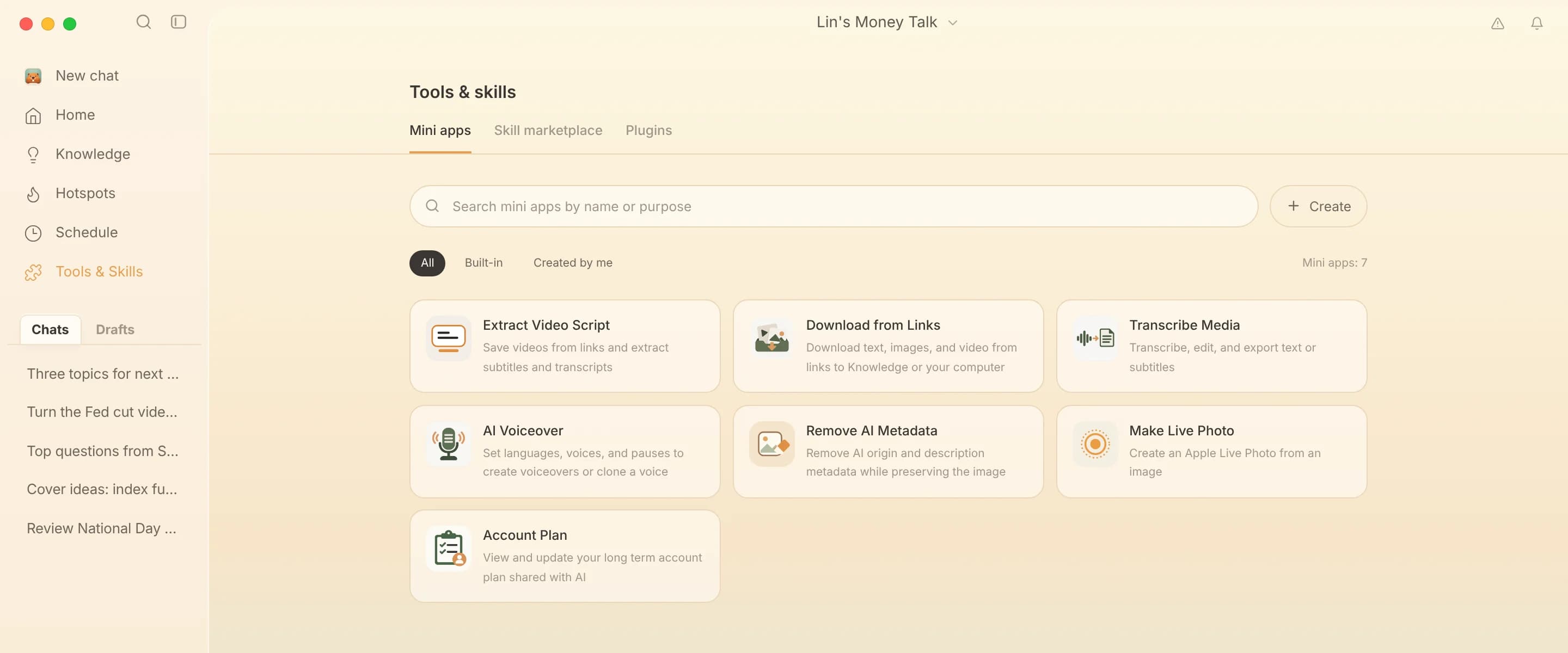
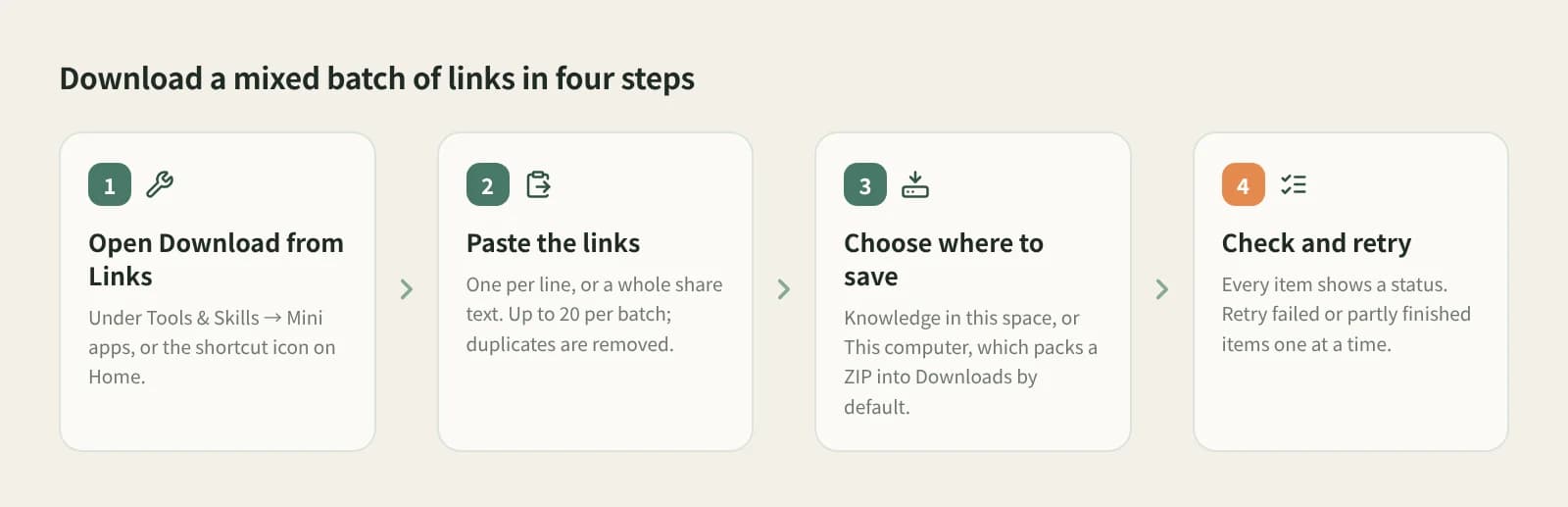
In the Beav desktop app it is in the Mini apps tab of Tools & Skills, or on Home. It runs in its own window and needs no browser extension.
Whole share texts work too. RedNote, Douyin, WeChat Channels and TikTok can be mixed, up to 20 per batch, with duplicates removed.
Knowledge in this space saves each post's text, source and media as an entry. This computer creates no entries and packs everything into a ZIP in Downloads; click Change to pick another folder.
Each link has its own status; retry failed or partial ones without redoing the batch. If some media is missing, the ZIP includes a list of missing files.
Text, source and media together, searchable and ready for AI writing.
Text, images and videos packed up to share.
See at a glance which media did not come down.
One failure does not stop the rest; retry it alone.
| Aspect | Per-platform downloaders and mini programs | Beav Download from Links |
|---|---|---|
| Getting started | Often nothing to install | Needs the Beav desktop app |
| Platforms | Usually one per tool | RedNote, Douyin, Channels, TikTok mixed |
| How many at once | Often one by one | Up to 20 per batch, deduplicated |
| When one fails | Paste again and keep track yourself | Per-link status, retry, missing-files list |
| Result | Scattered files | One ZIP, or library entries with sources |
Single-platform downloaders focus on one platform, sometimes with finer options, and many work on the phone. For one platform and the occasional download, they are enough. Beav fits when links come from many places in numbers and you want them sorted in one go. For text only, Extract Video Script is more direct.
Yes. Paste RedNote, Douyin, WeChat Channels and TikTok links together into Download from Links, up to 20 per batch.
Bilibili is not supported here; use Add link in the knowledge base or Phone Upload. YouTube links can only be saved to the knowledge base, not packed to your computer.
The desktop app has a free plan. Reading posts uses the capture service, which may use quota by its rules, as shown in the app.
Paste them in batches of up to 20.
This computer creates no knowledge base entries. To break them down or reference them in AI writing, save them to the knowledge base as well.
No promises. What you get depends on what the platform serves; Beav does not promise higher resolution or watermark removal.
Break down
Paste many Douyin links and pull the spoken scripts in one batch.
Collect
Paste a Channels link to keep the video and its script locally.
Collect
Paste a link to keep a Bilibili video and its source in your local library.