
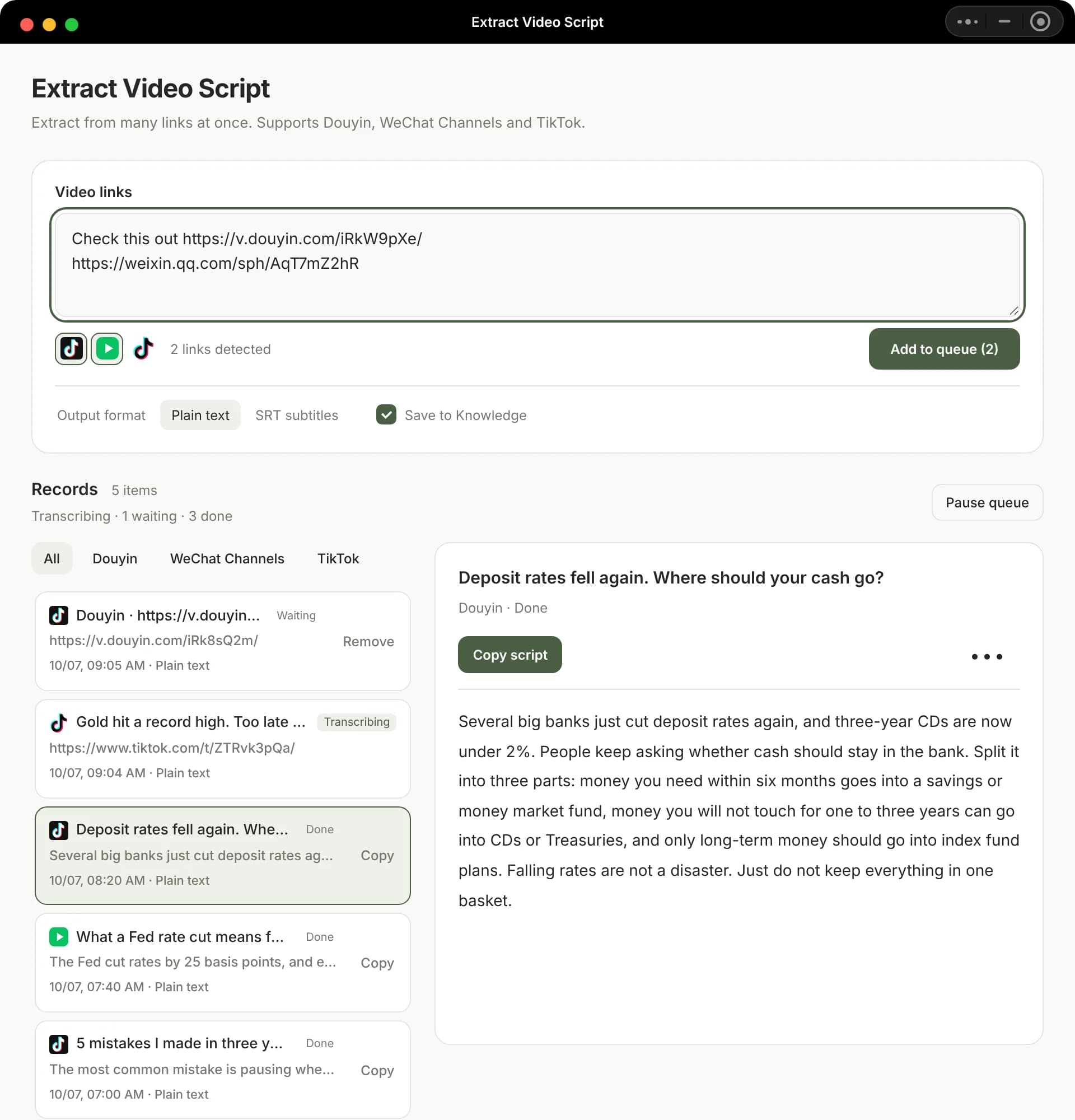
Pull scripts from a batch of benchmark videos
For knowledge, local-life or brand accounts on Channels: paste the benchmark links into Extract Video Script and get plain text or SRT, optionally saved to the knowledge base too.
Collect
Stop forwarding good Channels videos to File Transfer. Paste the link into Beav and the video, its spoken script and its source are saved on your computer.
Desktop app for macOS, Windows and Linux
For knowledge, local-life or brand accounts on Channels: paste the benchmark links into Extract Video Script and get plain text or SRT, optionally saved to the knowledge base too.
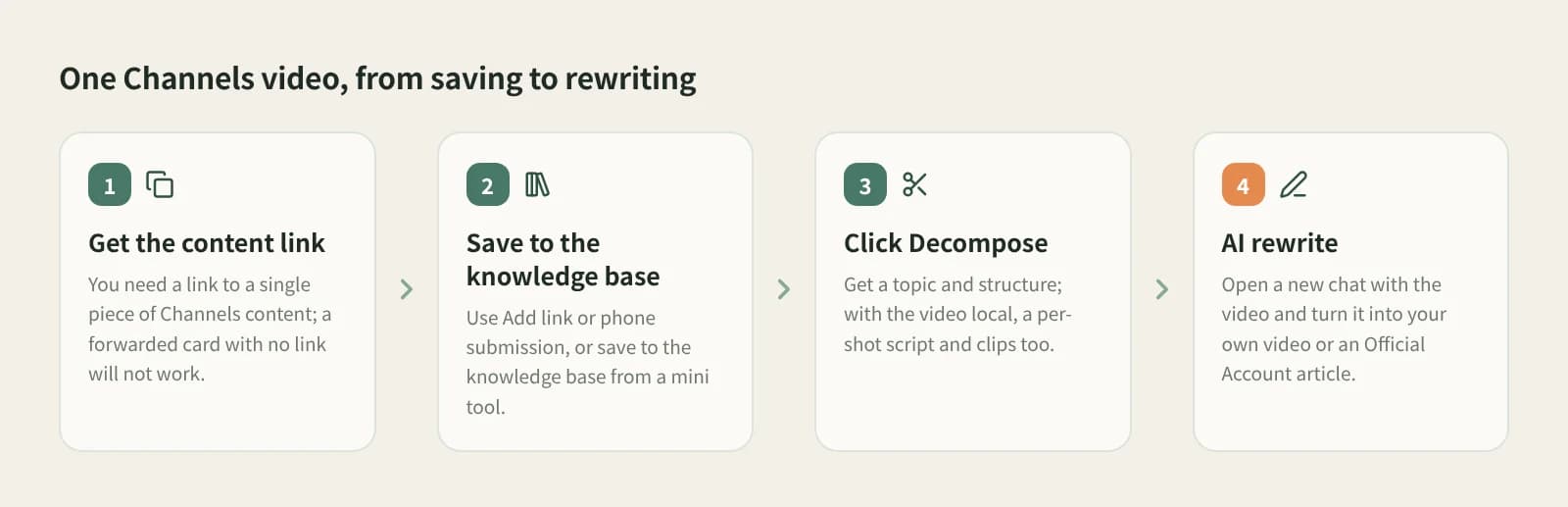
Click AI rewrite on a saved video to turn it into your own talking-head script, or into an Official Account article that follows its argument.
Make sure you have the link of a single Channels post, or share text containing it. A forwarded card without a link will not work, and neither will a profile link.
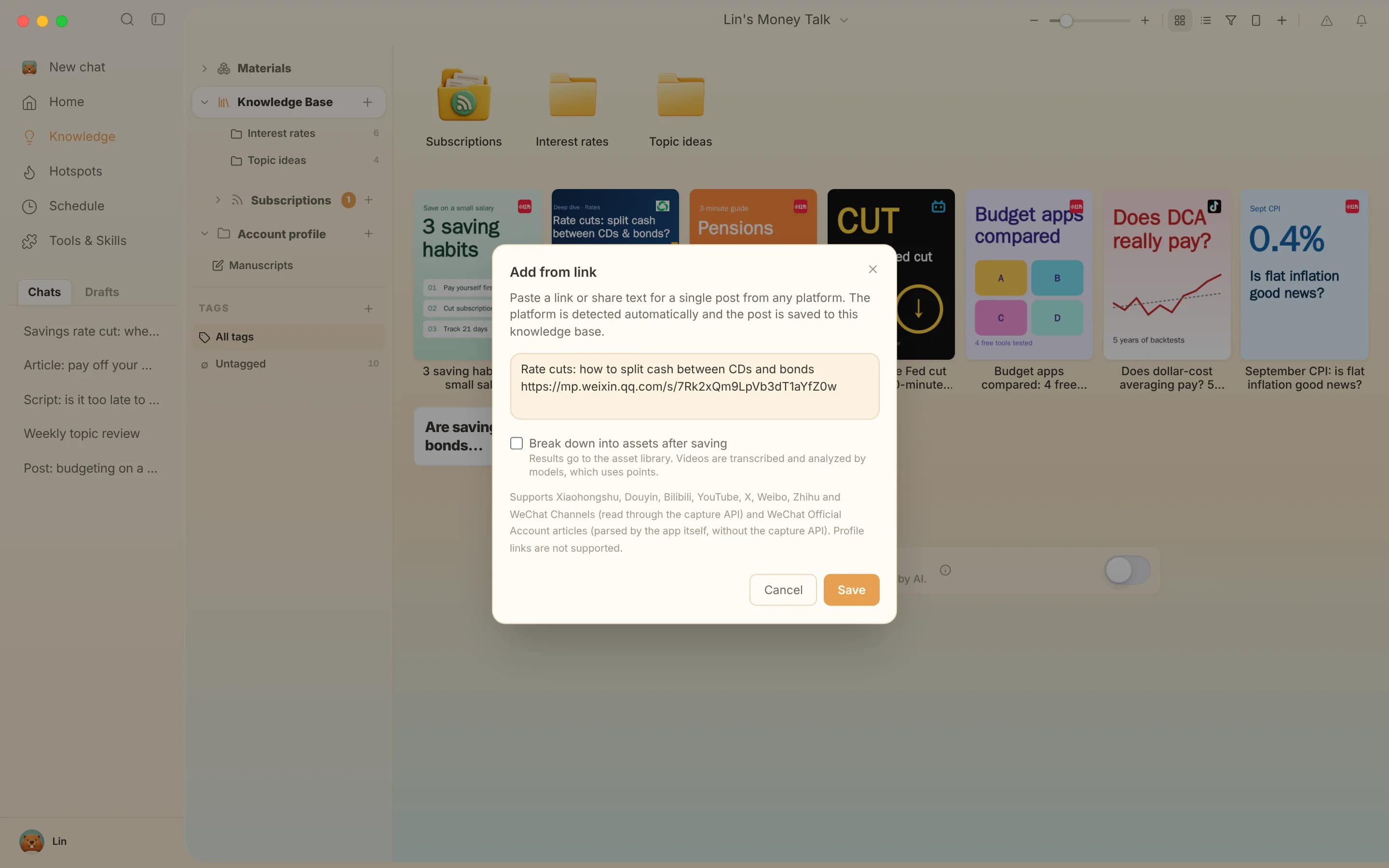
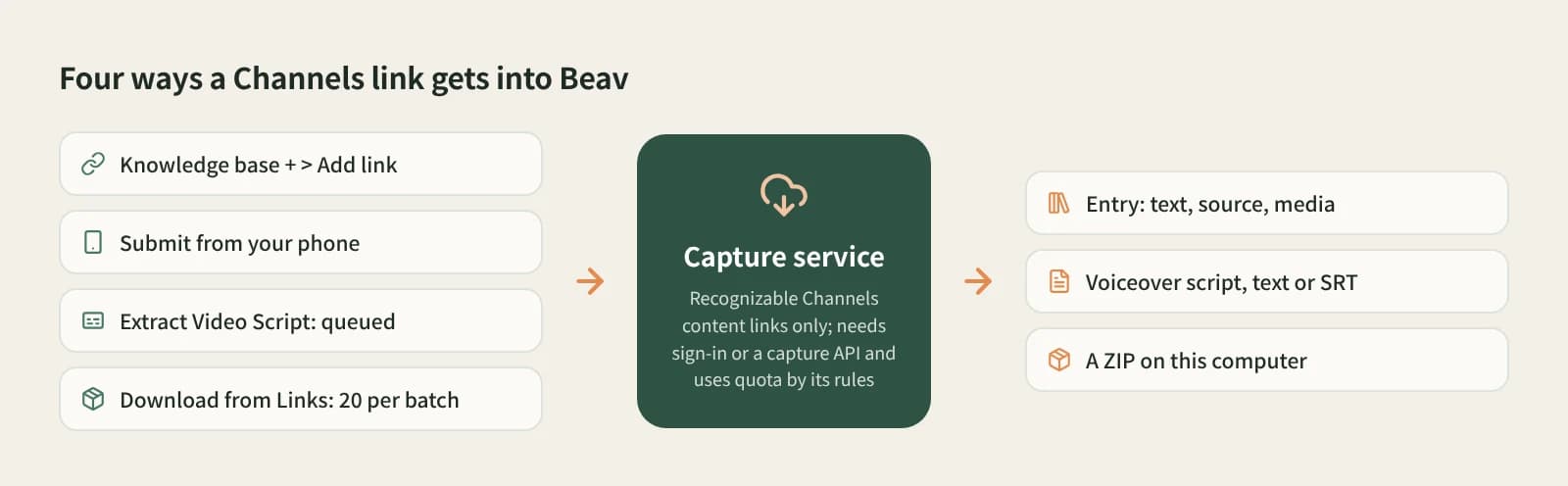
To keep one in the knowledge base, click + and Add link. From your phone, use Phone Upload, up to 50 links per batch. For the spoken script only, use Extract Video Script. For files in bulk, use Download from Links, up to 20 per batch.
Click Decompose on a saved video for the topic and structure template, plus a shot script and clips when the video is on disk. Saving does not break it down automatically.
Saved to the current space's knowledge base; it stays even if the creator deletes it.
Extract Video Script outputs plain text or SRT; a breakdown adds a timestamped transcript.
Download from Links with This computer packs everything into a ZIP in Downloads.
AI rewrite opens a new chat with the video; say what to keep and what to change.
| Aspect | Favorite, like, forward | Screen recording | Downloader mini programs | Beav |
|---|---|---|---|---|
| What you get | A record in WeChat | A recording | A video file | Library entry, script or ZIP |
| Spoken script | Type it yourself | Type it yourself | Depends on the tool | Batch transcription or a timestamped transcript |
| If the video is deleted | Gone | Your recording stays | The file stays | Saved content stays |
| What comes next | Watch again | Sort it yourself | Sort it yourself | Break down and rewrite as video or article |
Favorites and forwarding are the easiest inside WeChat and fine for watching again. Screen recording works on anything that plays. Downloader mini programs are handy on the phone. Beav is for when you have a batch of benchmark videos and want their scripts and structure in bulk, to study and rewrite.
Yes. With a Channels post link, click + and Add link in the Beav knowledge base, or use Download from Links with This computer to get a ZIP.
All entry points need a Channels post link Beav can recognise. Without one they will not work; screen recording is the fallback.
Yes. Extract Video Script queues many links, Download from Links takes up to 20 per batch, and Phone Upload up to 50. Add link saves one at a time.
The Beav desktop app has a free plan. Channels links are read through the capture service, which needs sign-in or a configured capture API and uses quota by its rules. Transcription, breakdown and rewriting use model quota.
No. Beav does not promise higher resolution than the original or watermark removal.
No. Saved videos are for your own study. Get the creator's permission before using it in your work, reposting or using it commercially.
Break down
Paste many Douyin links and pull the spoken scripts in one batch.
Collect
Mix links from four platforms, 20 at a time, into the library or a ZIP.
Collect
Paste a link to keep an Official Account article, layout and images included.