
Building a library of reference articles
Writers of Official Account posts and long-form content keep industry articles and case studies in the knowledge base, searchable and ready to break down.
Collect
Don't just favorite good articles. Paste the link and the text, layout, images and source are saved to a library on your computer, even if the author deletes it later.
Desktop app for macOS, Windows and Linux
Writers of Official Account posts and long-form content keep industry articles and case studies in the knowledge base, searchable and ready to break down.
Saved articles sit next to your RedNote and Douyin material, so you can drag them into a chat together and the AI can point back to the source.
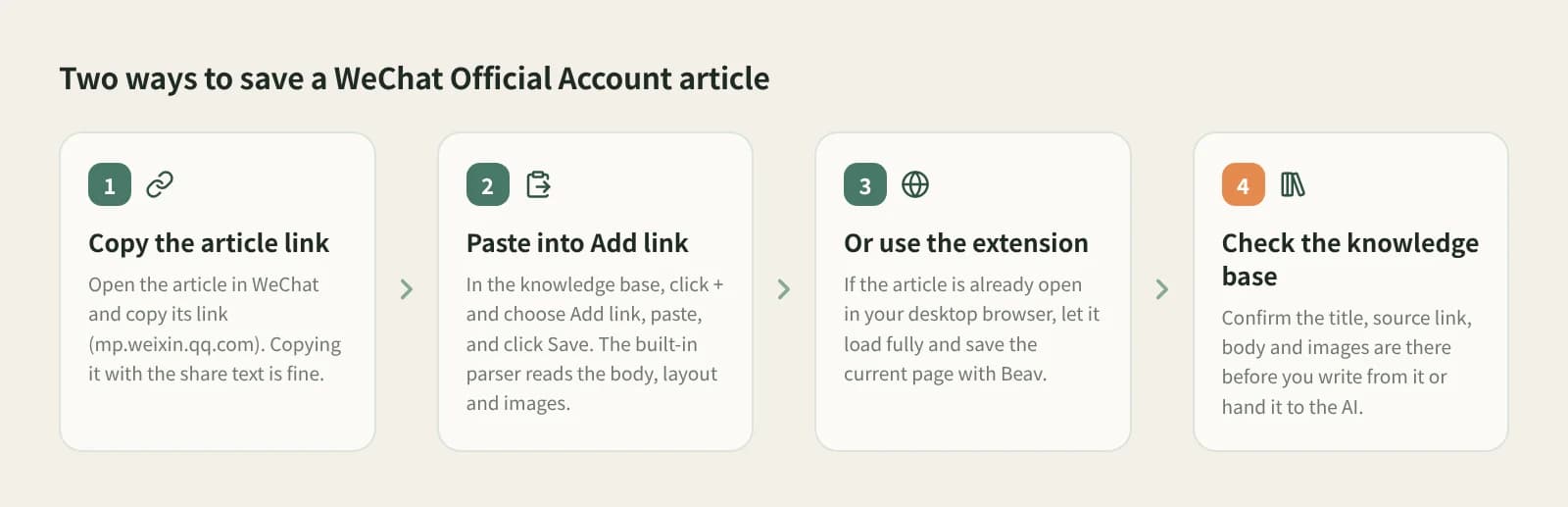
Open the article in WeChat and copy its link. Copying the whole share text is fine; Beav finds the link.
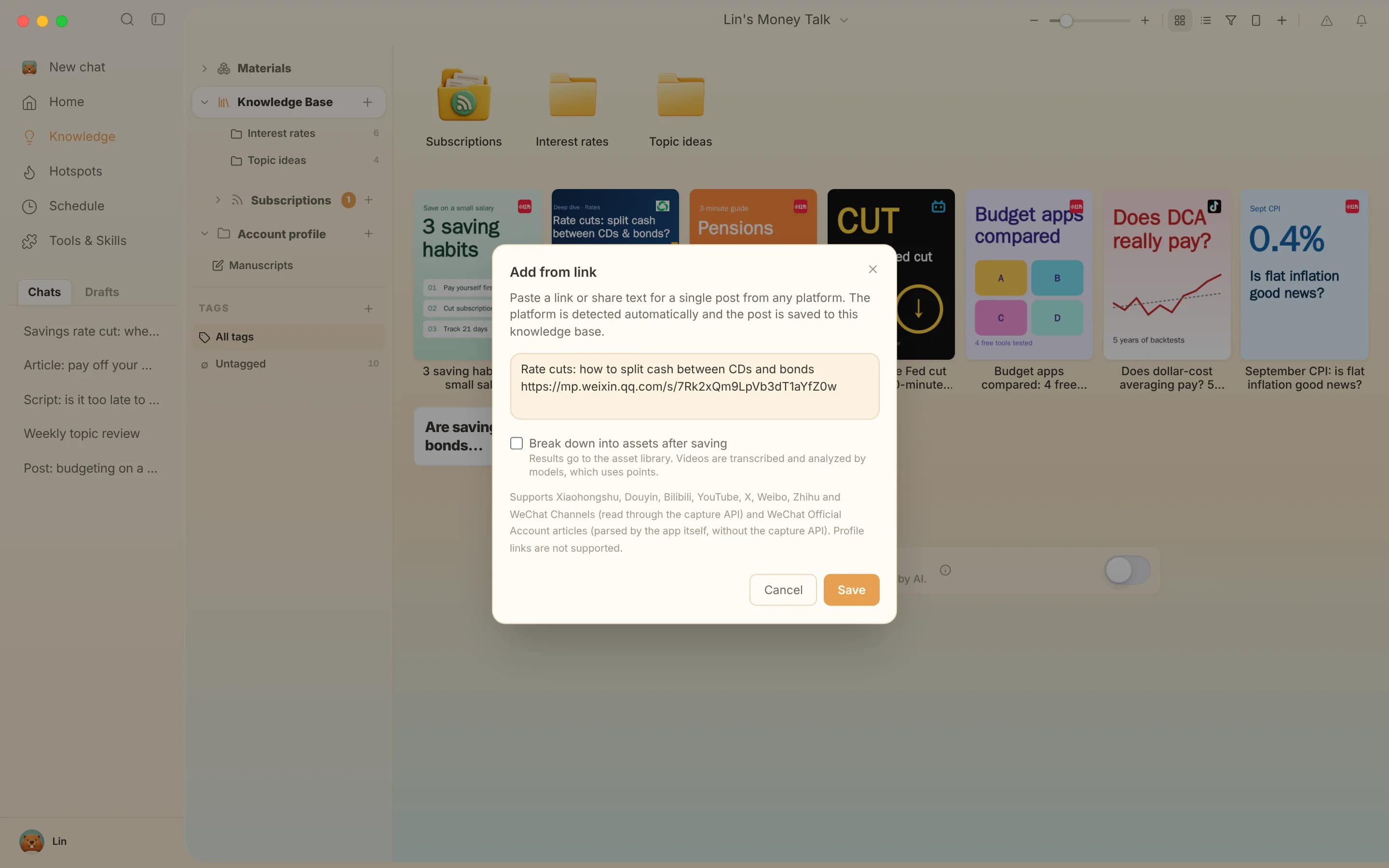
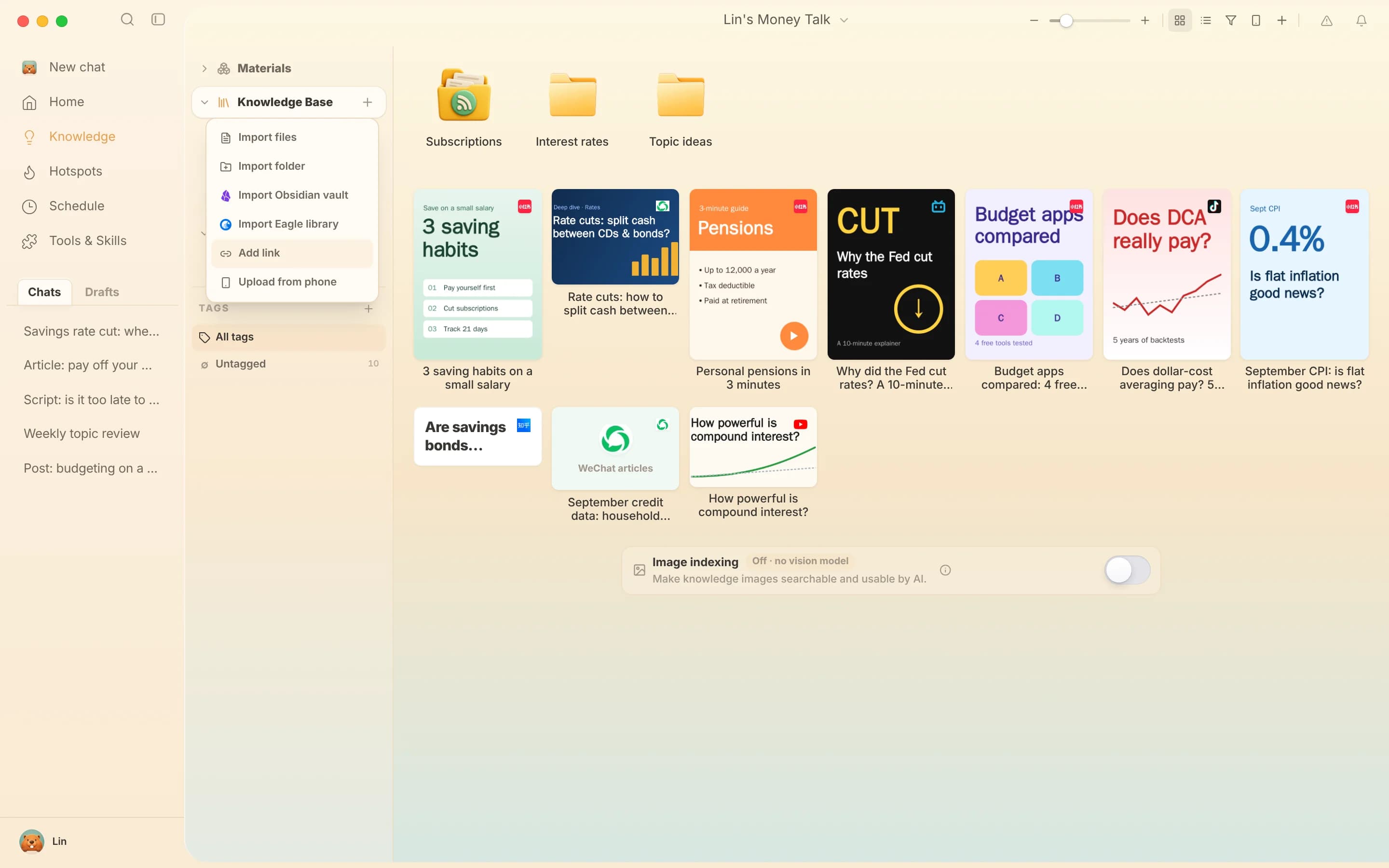
At the knowledge base root or in a personal folder, click + next to Knowledge Base, choose Add link, paste and save. Official Account articles are read by the app's built-in parser, with no sign-in and no capture API.
It is saved when the title, source link, text and images are all there. If the article is already open in your desktop browser, you can also wait for it to load fully and save the page with the Beav extension.
The parser keeps the article structure, not a screenshot.
Images are saved with the article; the card uses the cover or the first image.
So every quote can point back to the original.
Decompose for the structure, AI rewrite for your own article or RedNote post.
| Aspect | WeChat favorites | Evernote clipper, Cubox and similar | Beav |
|---|---|---|---|
| Stored in | Your WeChat account | Their cloud services | The knowledge base on your computer |
| If the original is deleted | Usually gone | The clipped copy usually stays | Your copy stays |
| Best at | Zero effort | Reading, sync, highlights | Keeping articles with other material for AI writing |
| You need | An account, some features paid | Beav desktop; no sign-in or capture API for links |
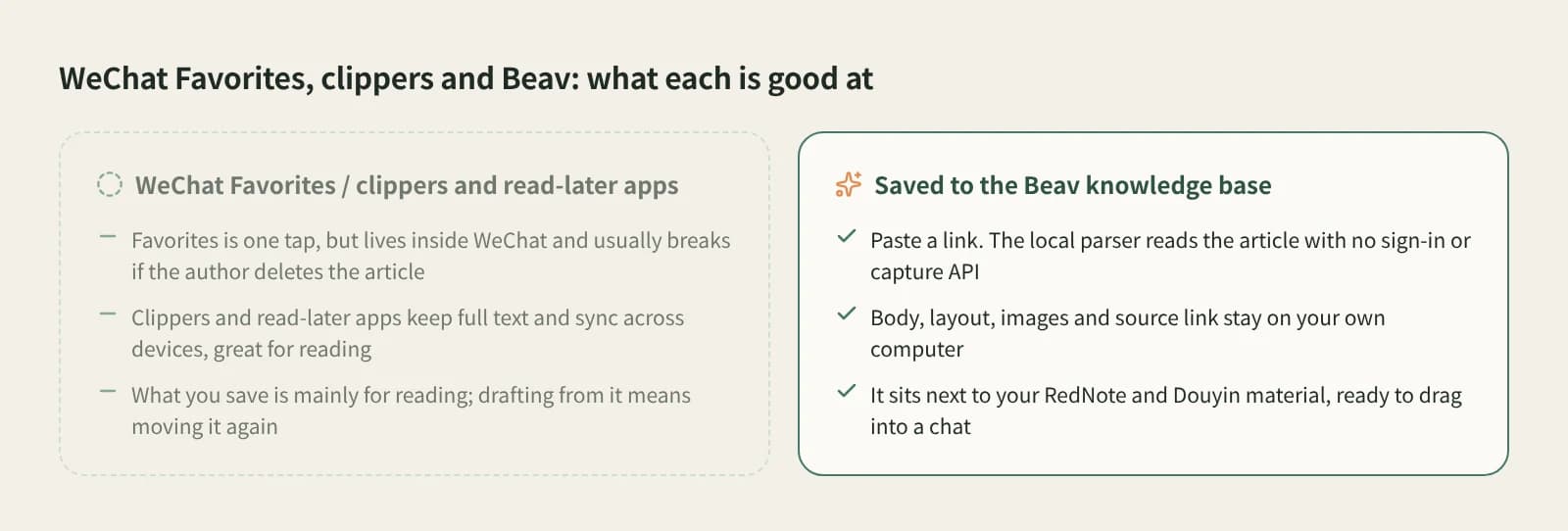
Web clippers and read-later apps are excellent for reading, syncing and highlighting. Beav is for treating articles as writing material: they sit in the same library as your posts and videos and go into the chat with them.
In the Beav knowledge base, click + and Add link, paste the article link and save. The text, layout, images and source link go into the knowledge base on your computer.
Articles are read by the built-in parser, with no sign-in or capture API. The desktop app has a free plan; breaking down and rewriting use model quota.
Add link saves one article at a time. For many links found on your phone, submit them together with Phone Upload.
Articles that need verification or are not publicly accessible fail to parse. The link stays in the dialog with the reason so you can try again.
Yes. The copy lives in the knowledge base on your computer.
Saved articles are for your own reference. Get the author's permission before reposting.
Collect
Paste a Channels link to keep the video and its script locally.
Create
Keep the original's structure, switch to your language and product.
Collect
Paste a link to keep a Bilibili video and its source in your local library.