
BeavBeav

Operate

Send finished post packages to phone

After spending an hour writing captions, designing 8 slide covers or cutting a video on desktop, the last 5 minutes shouldn’t go to compressed chat transfers, mixed-up slide numbers and hunting down your copy doc. Scan once on the same Wi-Fi and take the complete package to mobile.

Desktop app for macOS, Windows and Linux

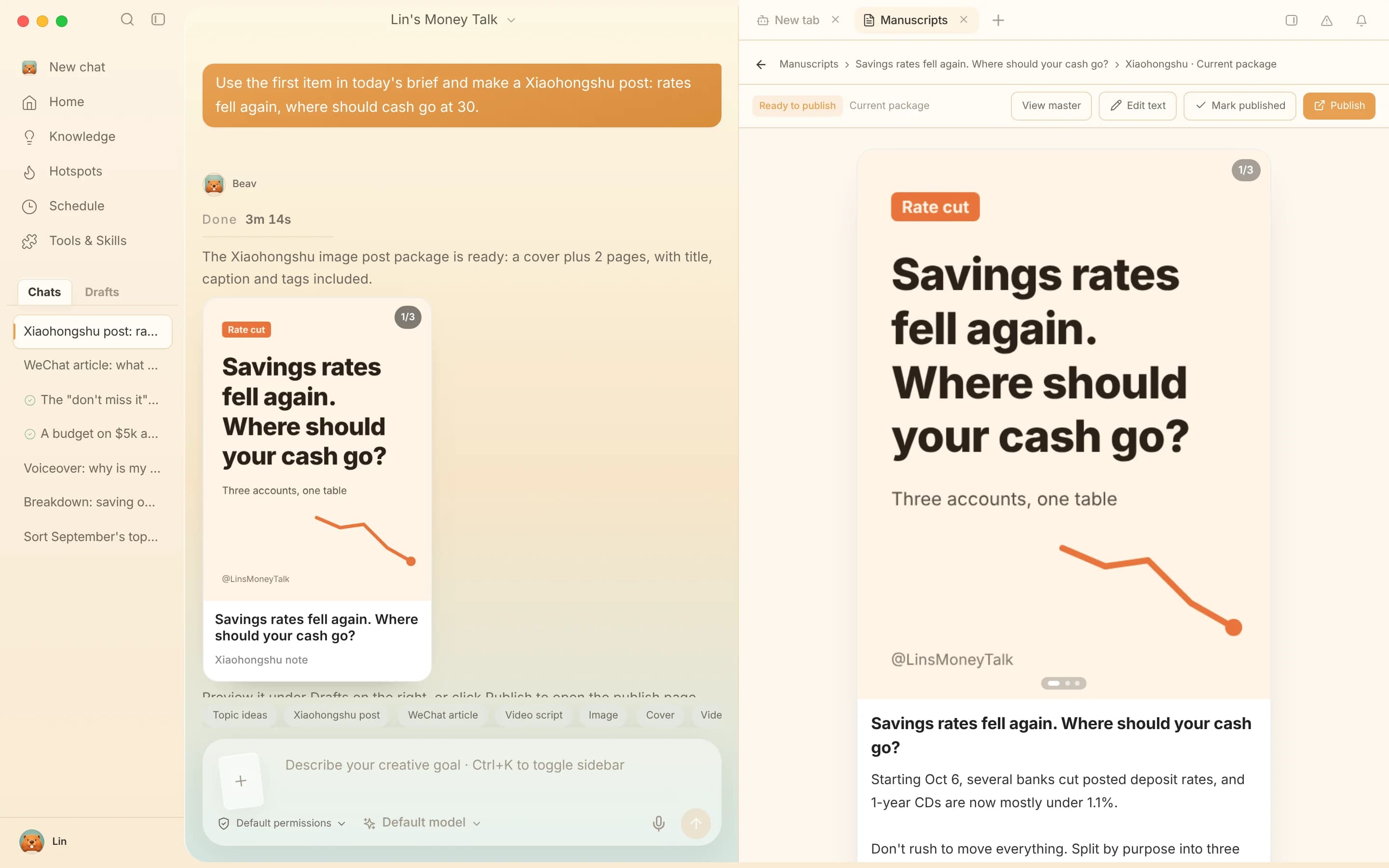
Beav Publish & mobile pickup screen showing ordered slide images, ready-to-copy title/caption/tags and a 30-minute local Wi-Fi QR code

When to use it

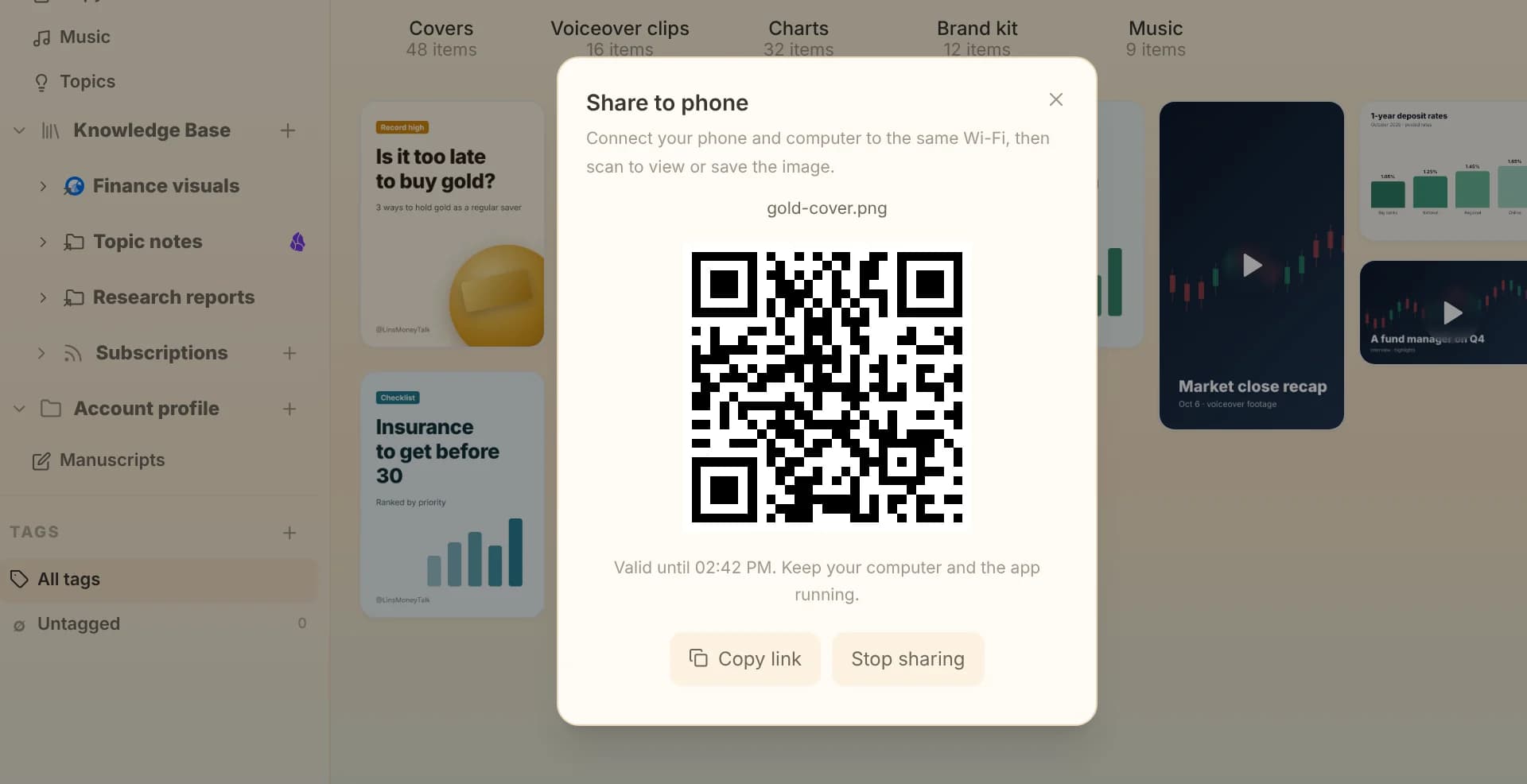
Beav Share to phone QR dialog for transferring a single full-resolution asset or cut video directly to a mobile device

Taking a complete multi-slide post or video live immediately

Click Publish -> Scan QR to claim on phone right from the finished draft card. Your phone opens an ordered page where every slide saves uncompressed in sequence and the title, body and hashtags copy in one tap.
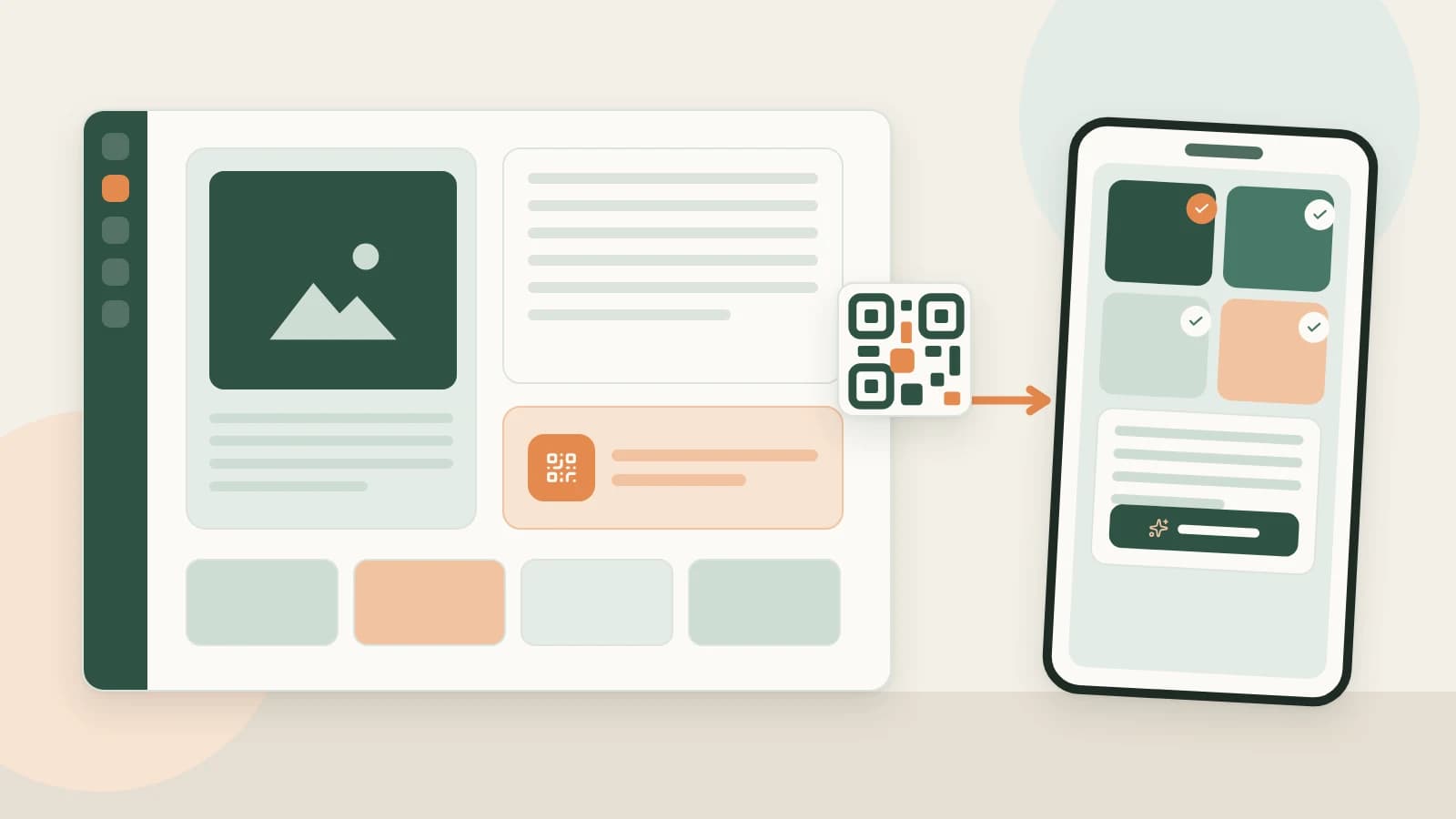
Workflow illustration from desktop post package assembly through QR code pickup to manual mobile publishing

Managing multiple client or brand accounts cleanly

Produce scripts and visuals across focused spaces on one desktop, then pair and claim from the matching phone per account—avoiding shared cloud folder clutter and risky browser-automation publishing.

How mobile pickup works

  1. 1

    Keep phone and desktop on the same Wi-Fi

    Pickup streams directly across your local network with no third-party cloud storage in between. Images up to 100 MB per file are supported.

  2. 2

    Open the Publish QR or single-asset Share QR

    From a full post package card, click Publish -> Scan QR to claim on phone (valid for 30 minutes per generated QR). For an individual video or image inside Assets, click Share to phone.

  3. 3

    Save slides in order, copy text and post manually

    Save numbered visuals directly to your phone gallery, tap Copy on your title, caption and tags, then switch to Xiaohongshu, Douyin, TikTok or Channels to publish authentically as yourself.

What you take to your phone

Uncompressed original visuals

Sharp cover typography, clean product crops and crisp video exports without chat-app downscaling.

Numbered slides paired with structured copy

No swapping between gallery albums and note apps—slide order, title, body and hashtags live on one pickup sheet.

Safer manual account publishing

Desktop handles research, drafting, visual design and editing; your real phone handles the final post button without risky automation scripts.

How it compares

AspectMessaging apps + docsCloud drive middlemanBeav local Wi-Fi QR pickup
Image quality & orderMessaging apps often compress slides or scramble upload orderRequires zipping/unzipping or downloading files individuallyOrdered uncompressed originals over local Wi-Fi
Grabbing title & captionsCopy-paste separately out of docs or emailsCopy files live in separate text docs from visual foldersTitle, caption and tags sit alongside slides with copy buttons
Privacy & account safetyAssets routed through third-party chat serversShared drives expose folders across collaboratorsLocal-network delivery only; manual posting preserves account health
Multi-account clarityDifferent brands pile up inside one self-chat threadEasy to grab the wrong client folder in a rushEach workspace generates pickup only for its active package
What happens nextRevising one cover requires resending everything manuallyUpdating one slide means re-uploading archives to cloudEdit the single page on desktop, refresh the QR and re-claim only what changed

Sending one quick photo via AirDrop or messaging takes seconds. When you regularly push 8-slide carousels with formatted copy and multiple tags—especially across separate brand accounts—local QR pickup prevents constant file friction.

FAQ

Does Beav automatically log in and publish posts for me?

No. Automated desktop posting scripts put creator accounts at serious risk of throttling or bans. Beav handles the heavy desktop production work and hands clean ready-to-post assets over to your phone so you publish safely.

How long does a pickup QR code stay active?

A Publish pickup QR stays valid for 30 minutes over local Wi-Fi. If it expires before you scan, click to refresh the QR on desktop—your package never leaves your workspace.

Are there file size or network requirements?

Both devices simply need to share the same Wi-Fi network while Beav stays open on desktop, with image assets up to 100 MB per file.

Can I send just one finished video or cover image without opening Publish?

Yes. Use Share to phone directly on any single item inside your asset library to view or save it immediately.

Read more

Related playbooks

All playbooks

Accumulation is your moat

Every saved post becomes material for your next one.

Download Beav free