
Following a few benchmark accounts
No more relying on memory to check profiles. New posts appear first on a timeline; pick the ones worth learning and decompose them.
Find topics
Checking rivals' profiles by hand lasts about two busy days. Let Beav check those accounts on a schedule and save every new post as material on your computer.
Desktop app for macOS, Windows and Linux

No more relying on memory to check profiles. New posts appear first on a timeline; pick the ones worth learning and decompose them.
Agencies can move subscriptions into folders by niche or client and mark key accounts as benchmarks.
Find Subscriptions on the left of the Beav knowledge base, or double-click the Subscriptions folder at the root.
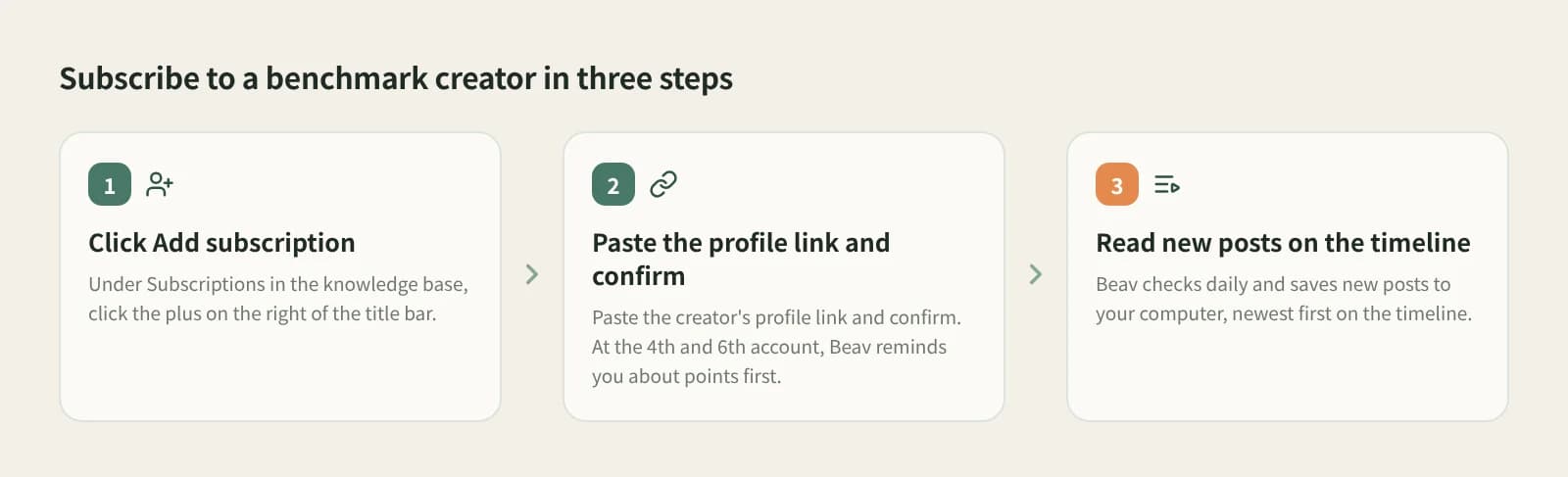
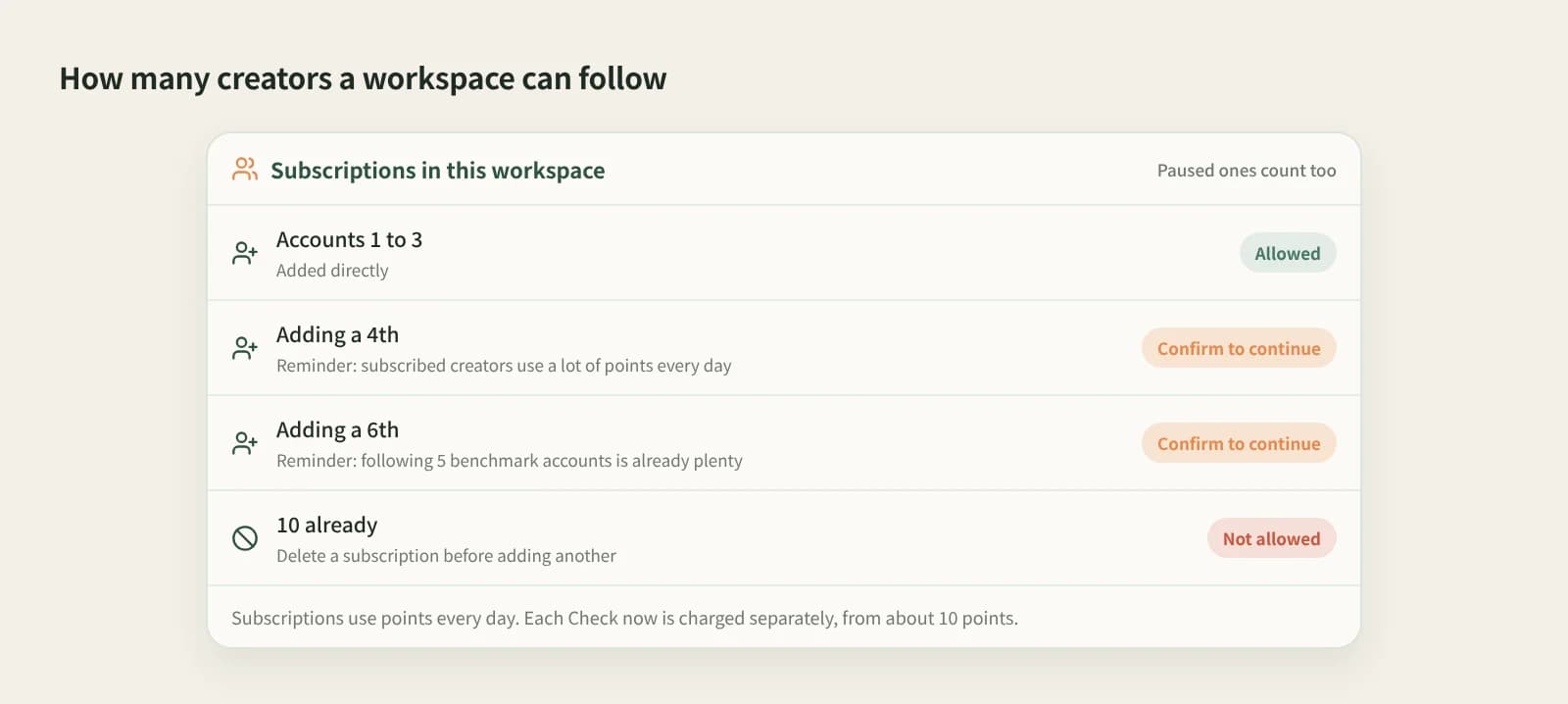
Click Add subscription, paste the benchmark creator's profile link and confirm. When adding the 4th and 6th, Beav reminds you of the credit cost first.
Double-click an avatar to open its posts, newest first on a timeline or as a gallery. Checks run in the desktop app on your computer; while Beav is closed nothing is checked, and it catches up on the next start.
From the … menu: mark as benchmark, check now (from about 10 credits), move to a folder, or stop the subscription. Stopping keeps the account and its saved posts.
On your computer, so they stay even if deleted.
See what benchmark accounts posted at a glance.
Organised by priority, niche or client.
Pick what is worth learning and reference it in AI writing.
| Aspect | Following / checking by hand | Data platform account monitoring | Beav subscriptions |
|---|---|---|---|
| How new posts reach you | Buried in the feed, or you remember to look | In the platform dashboard | Checked automatically, saved to your library |
| Best at | Free, anytime | Follower, engagement and ranking data | New posts become material for breakdown and AI |
| Stored in | The platform | The platform dashboard | Your own computer |
| How many | Unlimited | Per plan | Up to 10 per space |
| Cost | Time | Usually a membership | Daily credits; Check now extra |
For follower growth, ad data and rankings, third-party data platforms fit better; Beav does not do those. For "what did they post and what can I learn", Beav puts new posts straight into your library, ready for breakdown and rewriting.
Paste the creator's profile link into Subscriptions in the Beav knowledge base. Beav checks daily and saves new posts to your computer.
Up to 10 per space, including stopped ones; delete one before adding more.
Subscriptions use credits daily, more with more accounts; Check now costs extra, from about 10 credits. Decomposing uses model quota.
No. Decompose the ones you want, or select a batch and decompose them together.
Beav does not provide follower curves, ad data or rankings; use a data platform for that.
Subscriptions are for other accounts. Sync your own in Account profiles.
Find topics
Save the comments and let AI surface questions, disputes and topics.
Break down
One-click breakdown: shot script, clips and timestamped transcript.
Create
Keep the original's structure, switch to your language and product.