
BeavBeav

Break down

Video shot breakdown

Studying one minute of video properly takes half an hour. Beav does the cutting, transcribing and screenshotting first, so you can focus on why it was shot that way.

Desktop app for macOS, Windows and Linux

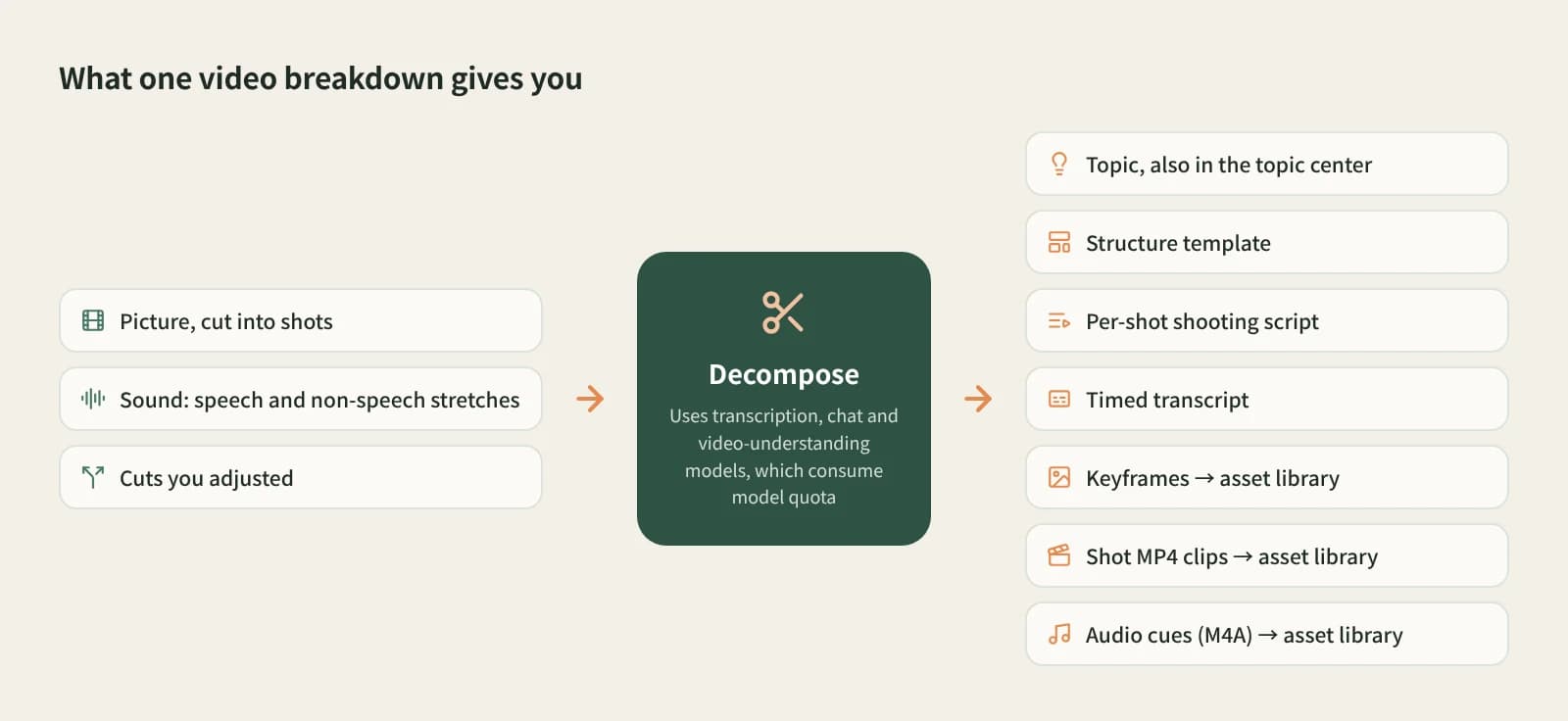
A video breakdown: topic, structure template, shots, shot-by-shot script and timestamped transcript, with keyframes and clip MP4s in the asset library

When to use it

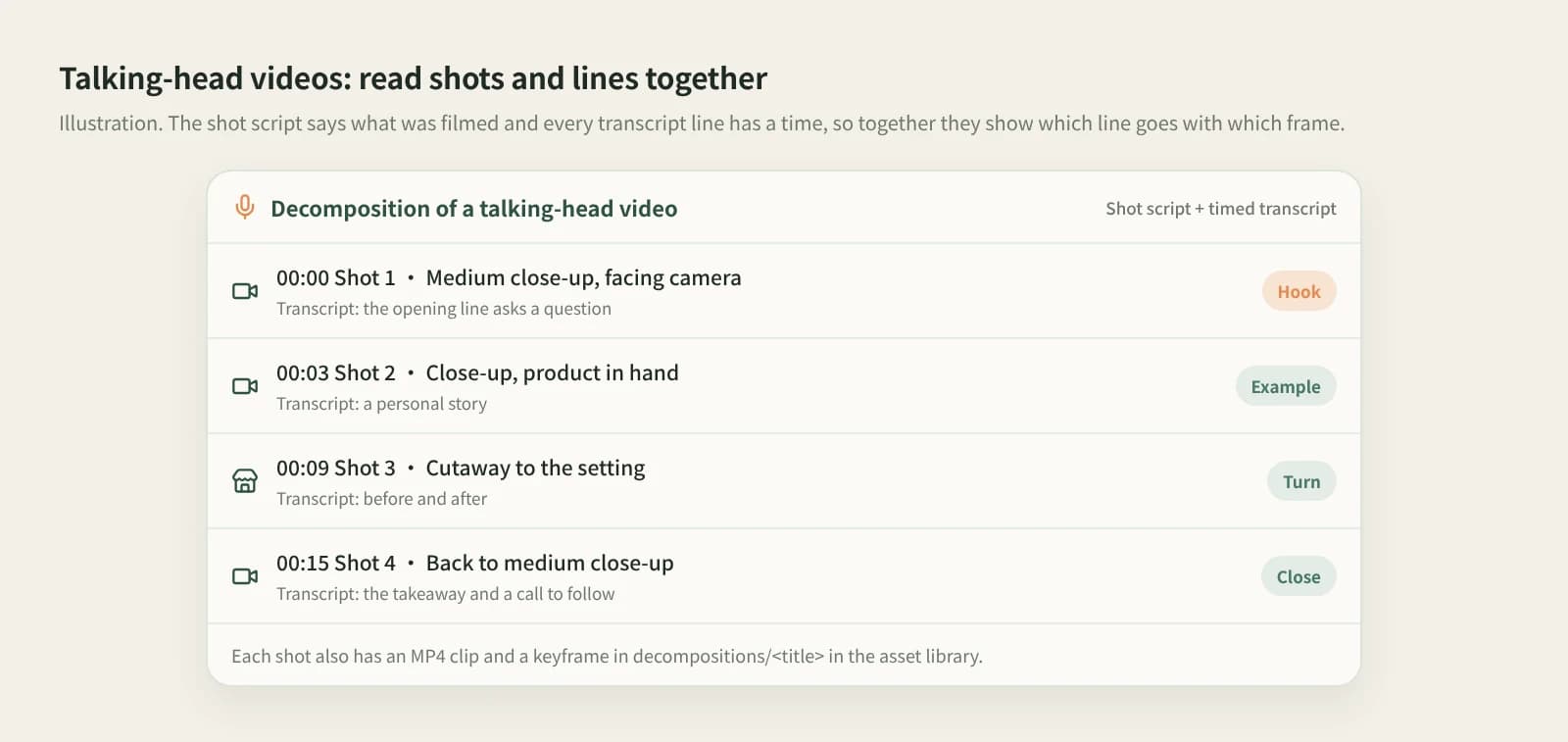
Breakdown of a talking-head video: each shot lists its time, framing and the matching lines

Learning the pacing of benchmark videos

For talking-head, food, unboxing and tutorial videos, see what each shot shows, says and how long it lasts. For stories and visits, watch the clips; for talking heads, read the transcript next to the shot script.
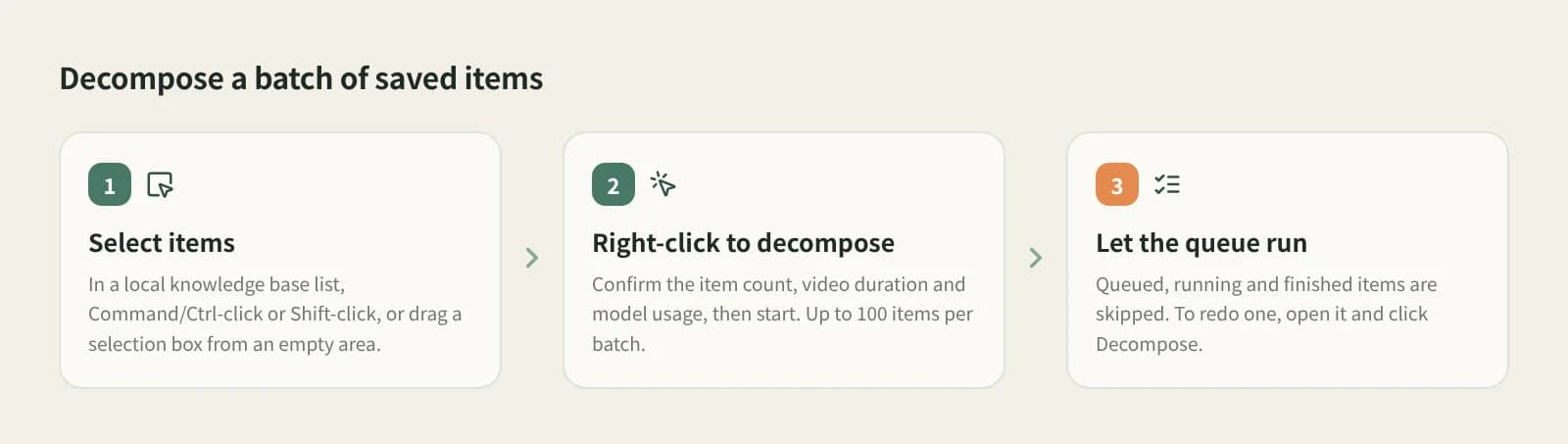
Batch breakdown: multi-select in the knowledge base, right-click to decompose the selected items, confirm count, duration and cost

Breaking down a batch to compare

Multi-select in the knowledge base and right-click to decompose the selected items, up to 100 at once. Queued, running and finished items are skipped. Dozens in one format show which openings keep recurring.

How to break it down

  1. 1

    Save the video to the knowledge base

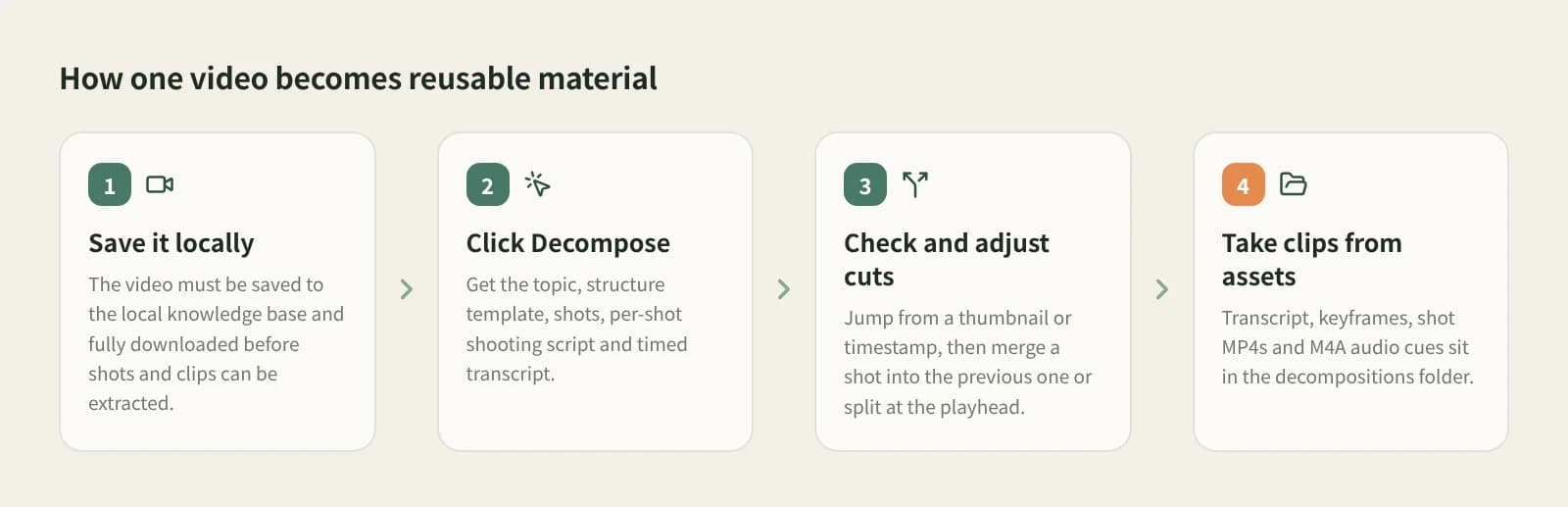
    Click + and Add link, then paste a RedNote, Douyin, Bilibili or other video link. The video must be downloaded to your computer before shots and clips can be cut; wait while the card says Downloading.

  2. 2

    Open it and click Decompose

    You get five parts: topic, structure template, shots, shot-by-shot script and timestamped transcript. The script says what each shot shows and how; every transcript line has a time to match the picture.

    Breaking down a video: open the video and click Decompose, expand the results, check shots, take clips from the asset library
  3. 3

    Adjust cuts against the video

    Click a shot thumbnail or time to jump there. If two shots are really one, merge it into the previous shot; if one shot hides a cut, play to it and split at the playback position. Decomposing again keeps your cuts.

  4. 4

    Take clips from the asset library

    The decompositions/<title> folder holds the script, keyframes, clip MP4s and music M4A, with the source video, creator and clip times recorded. The topic is added to the topic center.

What you get

Shot-by-shot script

What each shot shows and how, including framing and angle changes.

Clip MP4s and keyframes

One clip and one keyframe per shot, in the asset library.

Timestamped transcript

Every line timed to line up with the shots.

Topic and structure template

How it opens, turns and closes.

Compared with other ways

AspectStudying by handAsking a general AI (Gemini, ChatGPT…)Beav Decompose
What you getYour notes and screenshotsA text analysis to follow up onTopic, structure, shot script, timestamped transcript
Clips and keyframesCut and capture yourselfUsually text onlyClip MP4s and keyframes saved automatically
Adjusting cutsFully yoursDescribe and ask againMerge into the previous shot or split at the playback position
How many at onceOneOneUp to 100 selected
CostTimeTheir membershipsModel quota

Studying by hand trains your own eye, which no tool replaces; a general AI is good for open-ended questions about one video. Beav works like a breakdown assistant: it does the repetitive work and the results become material in your library.

FAQ

How do I get a shot script for a video quickly?

Save the video to the Beav knowledge base, let it download, then click Decompose for a shot-by-shot script, shot list and timestamped transcript.

Can I decompose in bulk?

Yes. Multi-select in the knowledge base, right-click to decompose the selected items, confirm the count, duration and model cost, up to 100 at a time.

Does saving decompose automatically?

No. Decomposing only runs when you click it, so you control the cost.

Is it free?

Decomposing uses transcription, chat and video-understanding models and consumes model quota. Batches show the cost first.

Why is there no shot script?

Videos above the video-understanding size limit get a low-resolution copy first; if still too large, the shot script is skipped with a reason and the rest is saved.

Can I use the clips in my own videos?

They are for study and reference. Confirm you have the rights before publishing or commercial use.

Read more

Related playbooks

All playbooks

Accumulation is your moat

Every saved post becomes material for your next one.

Download Beav free