
Collecting music and transition references
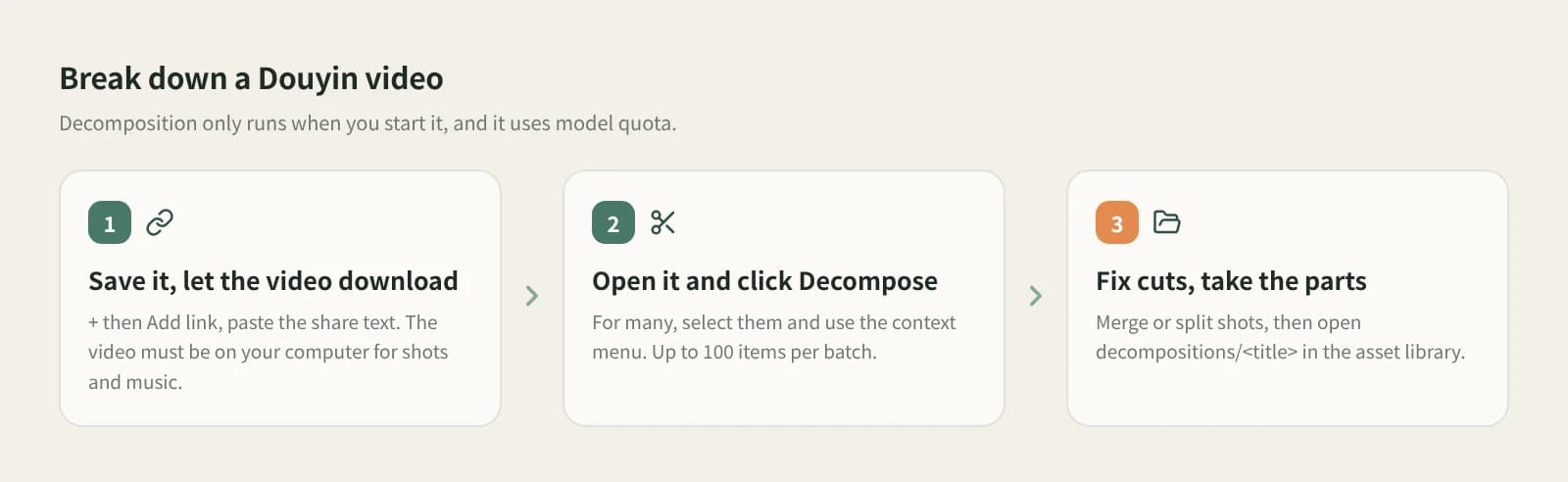
Food visits, vlogs and story videos have music worth studying. After a breakdown, the music M4A sits with the clips, and the source panel records the video and times.
Break down
Found a video with great music and want to keep it as a reference? When Beav decomposes a video, it saves the sections without speech as an M4A, alongside the shots and script.
Desktop app for macOS, Windows and Linux
Food visits, vlogs and story videos have music worth studying. After a breakdown, the music M4A sits with the clips, and the source panel records the video and times.
Which shot brings the music in, where only ambient sound remains, where the voice pauses: read it against the shot script and transcript.
Click + and Add link in the knowledge base, then paste a Douyin, RedNote, Bilibili or other video link. The video must be on your computer before music can be taken; wait while the card says Downloading.
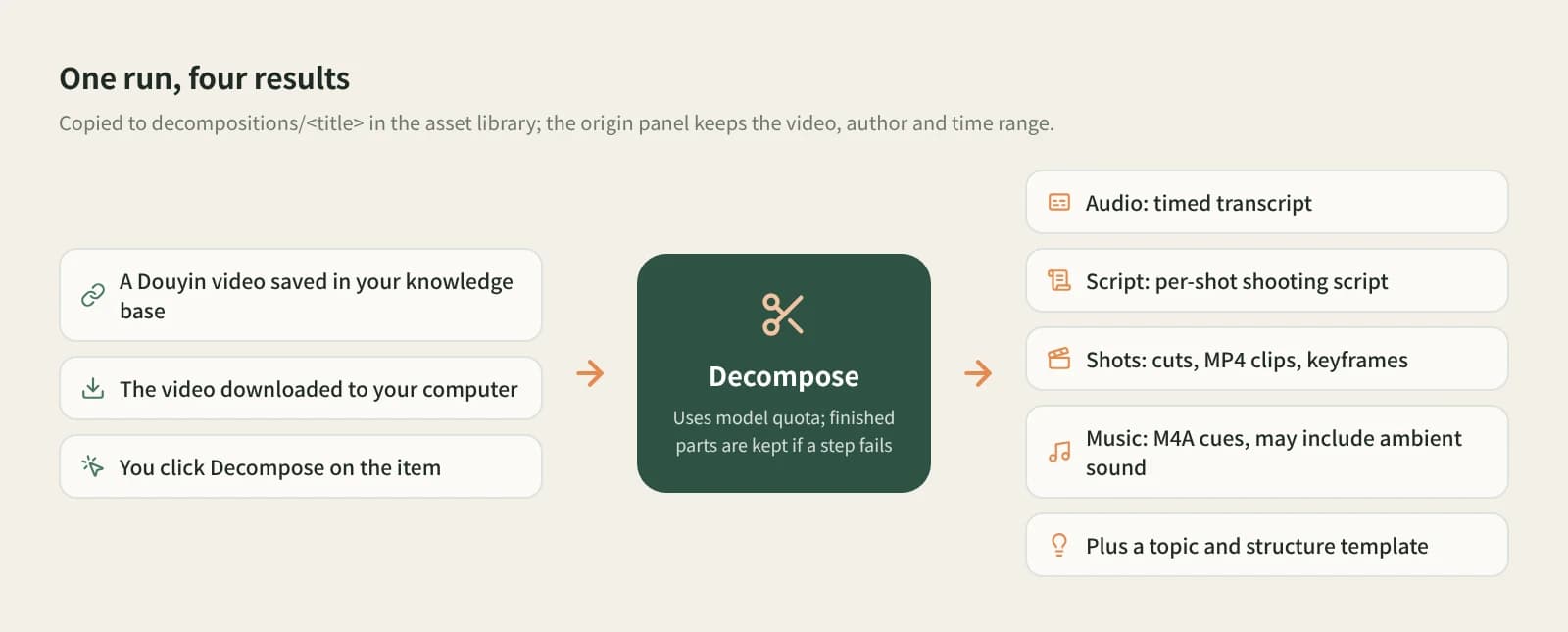
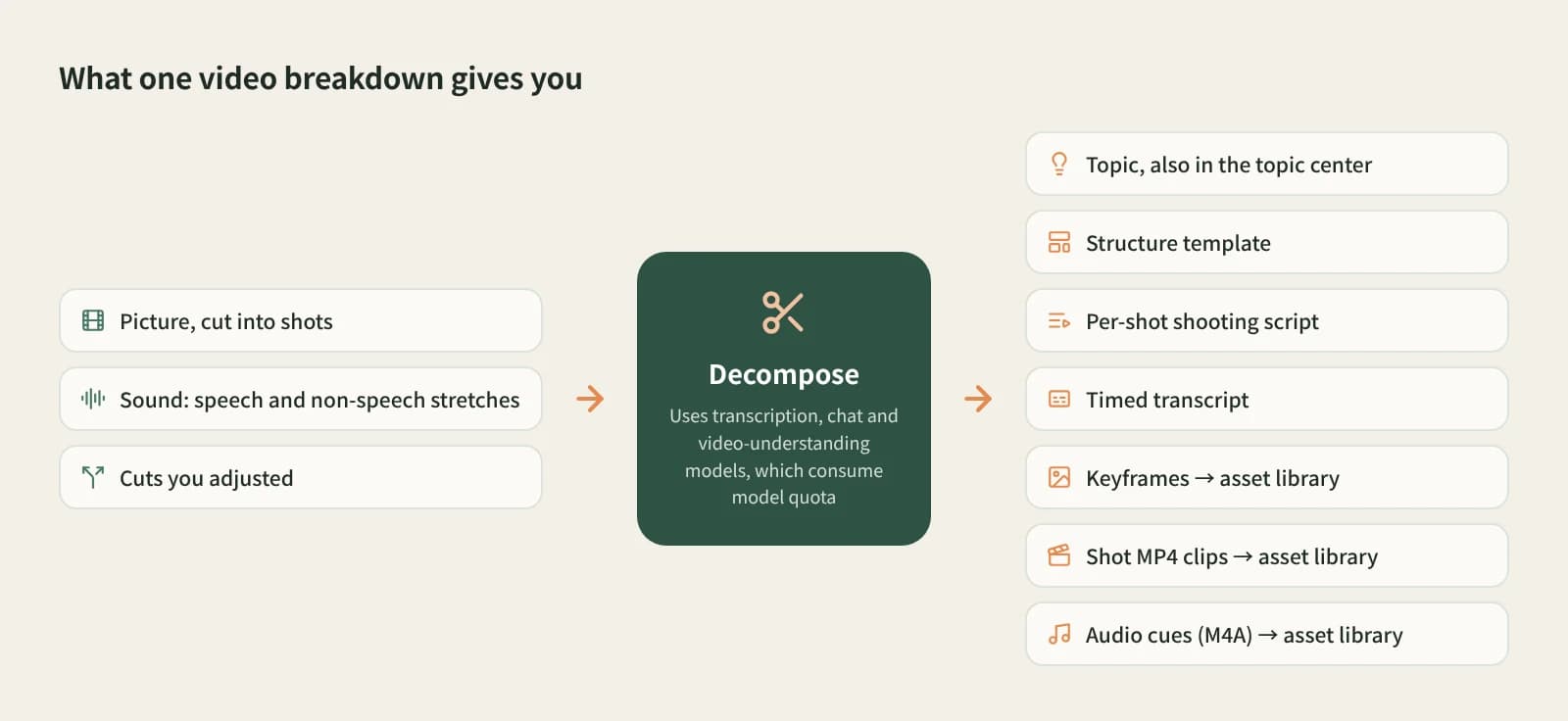
Decompose takes the sections with sound but no speech and saves them as a music M4A, along with the shot script, clips and transcript.
Find the music M4A in the decompositions/<title> folder. Listen first; it may include ambient sound.
The non-speech sound sections, saved with their source.
The source panel records the video, creator and clip times.
Shot script, clip MP4s, keyframes and timestamped transcript.
No song identification, no vocal separation, ambient sound may remain.
| Aspect | Music recognition apps | Vocal separation tools | Beav Decompose |
|---|---|---|---|
| Best at | Naming the song | Clean instrumentals | Keeping music with shots and script |
| What you get | Song info | An audio file | Music M4A, clips, script, transcript |
| Source | n/a | Track it yourself | Video and clip times recorded |
| Cost | Mostly free | Depends on the tool | Model quota for decomposing |
To learn a song's name, use a music recognition app. For a clean instrumental, use a dedicated vocal-separation tool. Beav's music comes with the breakdown and suits collecting music together with picture and script as reference.
Save the video to the Beav knowledge base, let it download, then click Decompose; the music is saved as an M4A in the asset library.
No. Use a music recognition app for song names.
No. Beav takes sections with sound but no speech; it does not separate vocals and may include ambient sound.
Decomposing uses model quota; saving with Add link uses the capture service for some platforms, which uses quota by its rules.
Music cannot be taken while the video is downloading or if the download failed; a video with speech throughout leaves few sections to take.
It is for study and reference. Get a licence for the music before publishing or commercial use.
Break down
One-click breakdown: shot script, clips and timestamped transcript.
Break down
Paste many Douyin links and pull the spoken scripts in one batch.
Break down
Turn local videos, recordings and short-video links into transcripts or subtitles.