
Finding your next post in a benchmark's comments
Repeated questions in the comments are ready-made topics. Ask the AI for the three questions most worth answering, or turn readers' doubts into your next outline.
Find topics
The most useful part of a post is often the comments: what readers ask, what they push back on, why they didn't buy. Save the comments with the post and let the AI read them for you.
Desktop app for macOS, Windows and Linux
Repeated questions in the comments are ready-made topics. Ask the AI for the three questions most worth answering, or turn readers' doubts into your next outline.
For product and seeding content, hesitation and complaints in the comments are the most honest signal. Comments live in the same entry as the post, so checking context is easy.
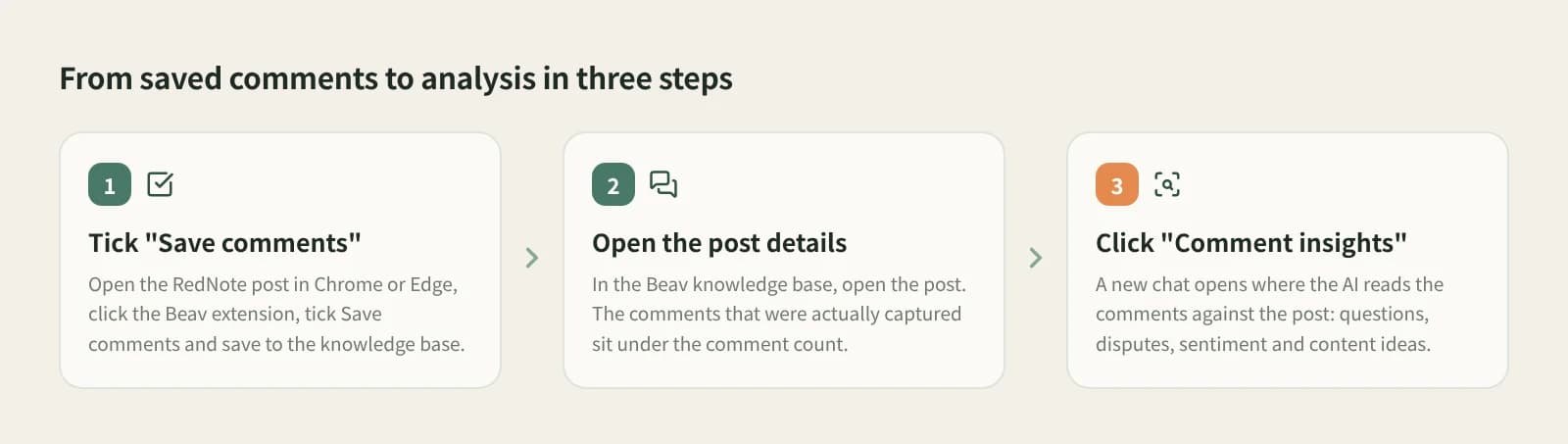
Open the RedNote post in desktop Chrome or Edge, click the Beav extension icon, check the connection and current space, tick Save comments and save to the knowledge base.
The detail view shows the comment count and the captured comments. Media downloads in the background, so Downloading on the card is normal.
The button only appears on posts saved with comments. It opens a new chat where the AI reads the comments with the post for questions, disputes, sentiment and opportunities.
Try "pick the three questions most worth answering" or "turn the common doubts into an outline". With comments from several posts on one theme, ask for the three topics most worth making.
A snapshot on your computer, in the same entry as the post.
What readers really care about and push back on.
Why they hesitate or love it, in their own words.
The analysis is a chat, so you can start writing right away.
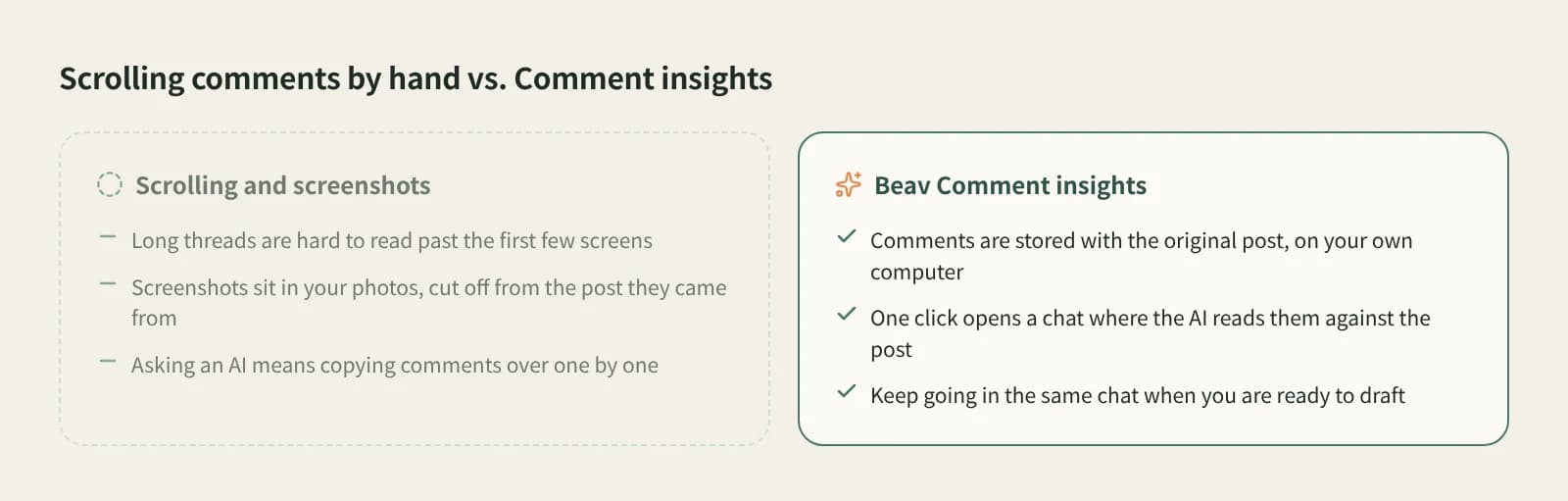
| Aspect | Reading and screenshotting by hand | Data platform comment analysis | Beav comment insights |
|---|---|---|---|
| Where comments live | Photos or notes | The platform's service | Your local knowledge base, with the post |
| How it is analysed | You read and summarise | Mostly statistics | AI reads them with the post; ask follow-ups |
| Best for | One or two posts | Industry, brand and creator data at scale | Studying chosen benchmark posts and writing next |
| Cost | Time | Usually a paid account | AI chat replies use credits |
Data platforms cover breadth across accounts, brands and industries, good for ads and market analysis; reading by hand gives you a feel for every comment. Beav fits the middle: you have picked a few posts worth studying and want to absorb the comments and use them in your own content now.
Tick Save comments when saving a post with the Beav extension; the comments go into your local knowledge base with the post.
Only the comments captured at save time, which may be fewer than the platform shows. New comments are not added later.
Posts saved without Save comments do not show it; save the post again with the option ticked.
The desktop app and extension have a free plan. Comment insights is an AI chat, and replies use credits.
No. It helps you read faster; check the original comments before quoting readers.
They include other users' names and words. Keep them for your own research and do not repost them as is.
Find topics
Subscribe to benchmark creators; new posts land in your library daily.
Create
Keep the original's structure, switch to your language and product.
Break down
One-click breakdown: shot script, clips and timestamped transcript.