
Key takeaways
- News trends & 09:00 daily brief: Open Hotspots (with NewsBing authorized) to rank stories under For Me by your channel positioning and verify primary links in Discuss with AI, or save morning leads from Today's discoveries.
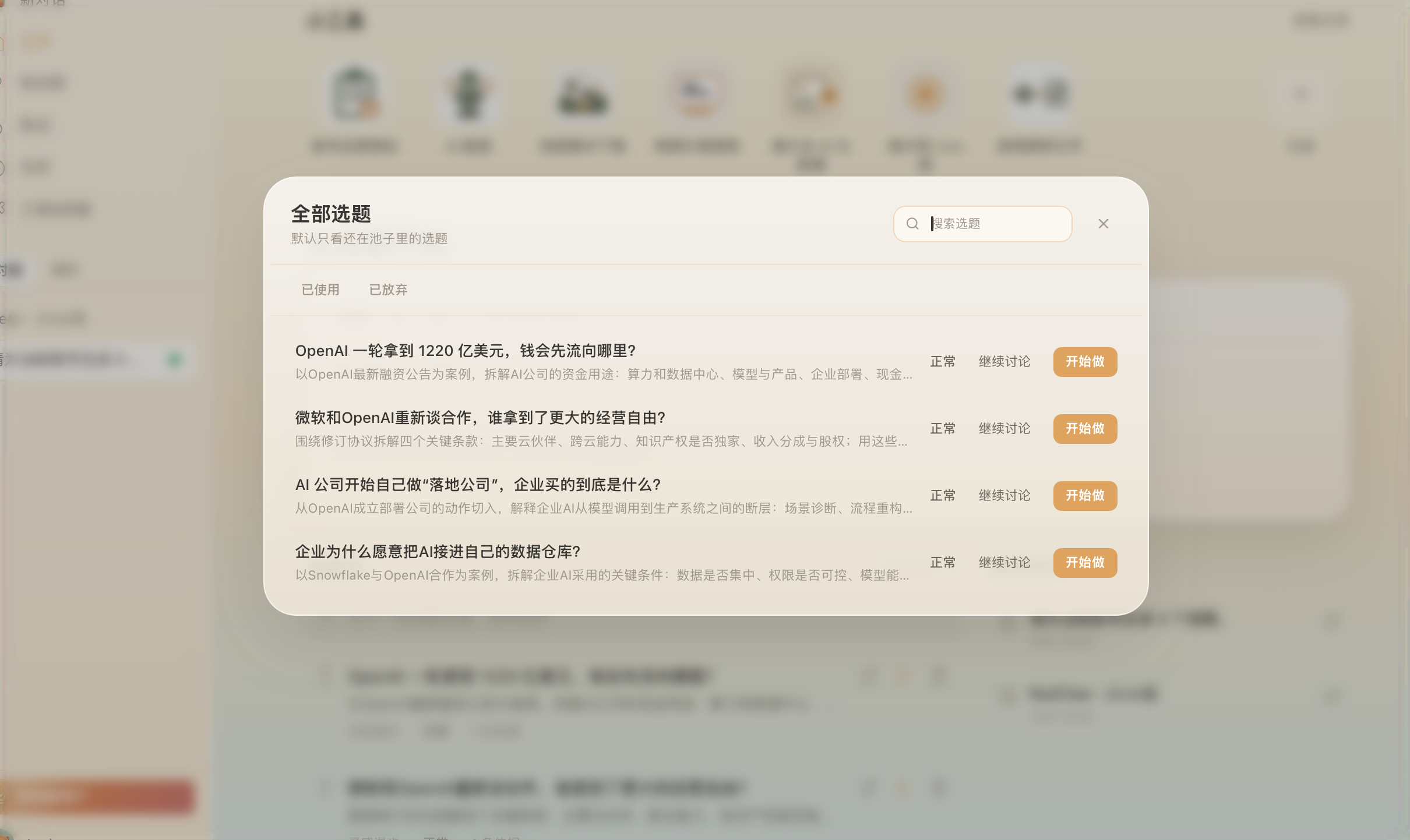
- Reference library & Topic Radar (2.10.7): Review grounded directions in Creation → Topic Radar, pick Find topics in a new chat, or drag 3–5 saved WeChat Channels videos and transcripts together to find unaddressed practical gaps.
- Real buyer questions: Right-click Save selected text to Beav on recurring web comments or bring client FAQs into chat alongside reference structures to sharpen opening lines built for WeChat sharing.
Growth on WeChat Channels runs heavily on trust and peer shares inside chats and Moments rather than empty shock hooks. Viewers want clear explanations backed by credible facts, practical steps they can forward to a colleague or family member, and relatable answers to doubts they actually carry.
Beav ties timely news, saved competitor references, and authentic audience questions together on one workbench before you start filming.
Who it is for
- Creators covering local business, education, wellness, tax/legal know-how, or professional advice on WeChat Channels.
- Teams holding saved voiceover transcripts who want clear, non-repetitive weekly series instead of ad-hoc brainstorming.
- Paired WeChat Channels + Official Account operators planning topics that work across both short video and deep-dive reading.
1. Track credible shifts via Hotspots and the daily brief
- Check Hotspots ranked by account positioning. Authorize NewsBing inside Hotspots so For Me prioritizes news relevant to your workspace profile and shows Rising / Viral multi-platform heat. Click Discuss with AI to check primary sources and ask why your audience would actually want to forward this topic inside WeChat.
- Pull leads from the 09:00 daily brief. Each morning Home delivers Today's discoveries (using key-free public trends when NewsBing isn't connected). Click + on practical topics to queue them cleanly inside your Topic pool. See Hotspots documentation.
2. Distill steady topics from Topic Radar and saved breakdowns
- Use Creation → Topic Radar (2.10.7) and new-chat prompts. Browse grounded candidates in Topic Radar, or pick WeChat Channels → Find topics (enabled under More in the platform bar) to leverage your Account Plan and reference folders immediately.
- Synthesize multiple saved videos into a tighter angle. Whenever you manually Decompose a saved WeChat Channels upload, its topic enters Asset Library → Topics. Pull 3–5 related clips and extracted transcripts into one chat and ask the AI where earlier videos skipped step-by-step execution or real examples you can provide yourself. See Let Beav find the topics.
3. Turn buyer doubts and web comments into opening lines
Whenever you spot recurring reader skepticism in web articles or high-value questions while browsing desktop threads, highlight the phrasing and right-click Save selected text to Beav so the exact question and link stay in your Knowledge Base. Combining those real client hesitations with your strongest peer structures produces first-3-second openings viewers immediately recognize as written for them.
Balancing the three topic sources
| Topic source | Best use case | Core advantage |
|---|---|---|
| Hotspots & Daily Brief | Industry rules, seasonal reminders, factual breaking topics | Verified original links reduce risky rumor-based scripts |
| Reference Library & Topic Radar | Structured how-tos, myth-busting, store walkthrough series | Builds fresh angles straight off proven local benchmarks |
| Selected Doubts & FAQs | Pricing clarity, common objections, consultative leads | Connects directly to real questions viewers ask in private messages |
Limits and notes
- Verify policies and figures on source pages. Never treat headline-based relevance scores as proof—always inspect primary links before filming advice.
- No blanket WeChat Channels comment scraper is claimed. Selective right-click web clipping and pasting authentic client questions keeps your signal clean.
- Clarify your Account Plan first. Better workspace positioning produces sharper For Me and Find topics prompts—see Account Plan.
Next steps
- Turn settled topics into spoken scripts, vertical edits, and Official Account articles with WeChat Channels full content package.
- Keep fresh peer uploads arriving automatically with WeChat Channels competitor tracking.
- Full guide: WeChat Channels operation guide.
Applies to Beav desktop 2.9 and later; Topic Radar is included from 2.10.7.