Key takeaways
- Paste a benchmark Weibo creator's profile URL (
weibo.com/u/...or custom path) under Knowledge Base → Subscriptions → + so Beav checks daily while open and saves new posts onto a clean, chronological local timeline.- Spaces cap at 10 subscriptions (including paused entries), showing credit alerts on the 4th and 6th additions; manage feeds via Mark as benchmark, Check now (from ~10 credits), Move to folder, and Stop / Resume.
- Captured peer updates never auto-decompose—pick standout threads manually for Decompose or pass exact post URLs to chat for public comment reading.
Weibo feeds refresh faster than almost any domestic network. An insightful thread posted at 10:00 AM quickly sinks beneath dozens of reposts and hot-search noise by dinner time—leaving you scrolling profiles endlessly whenever you review how peers reacted to an industry shift.
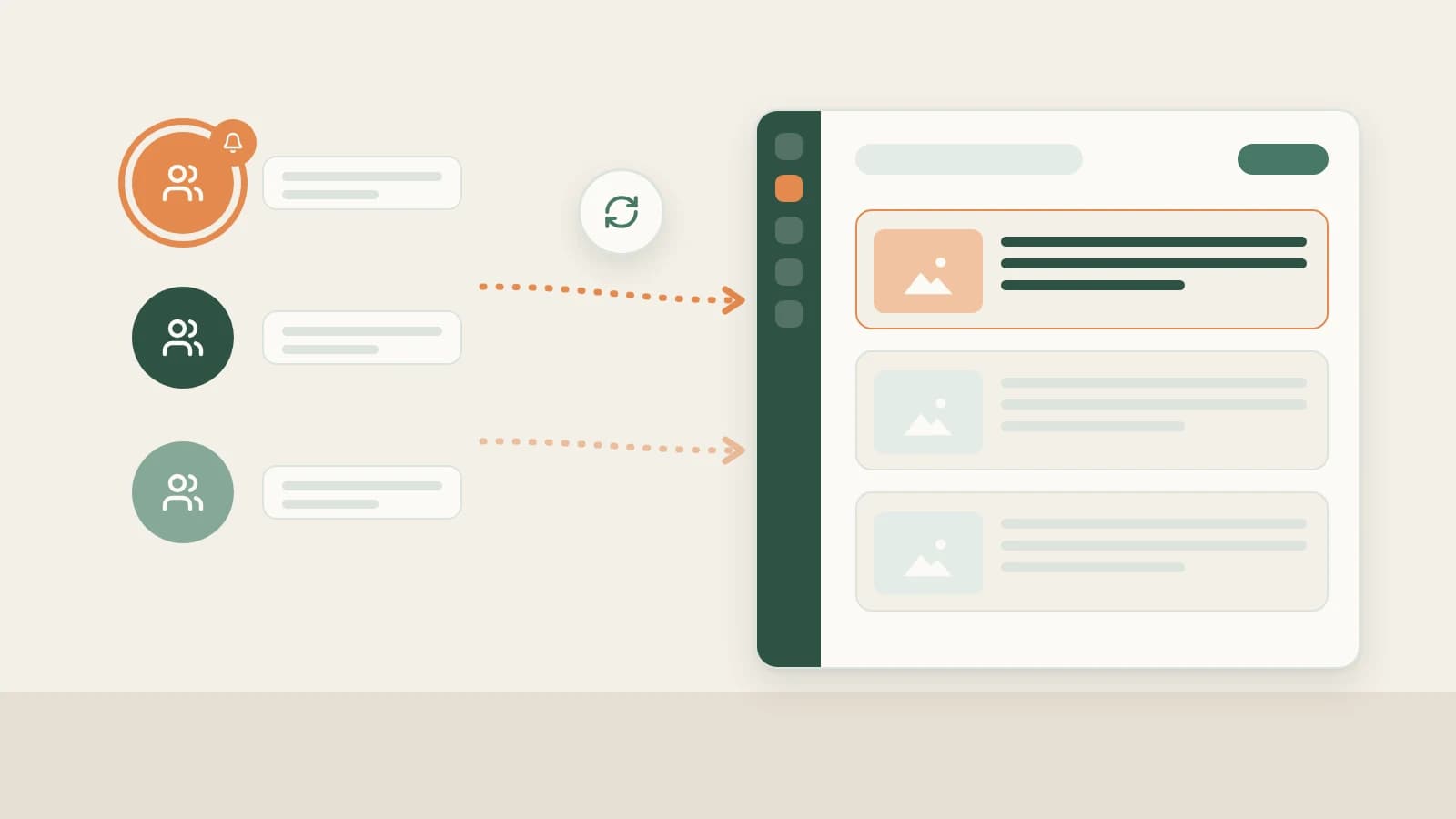
Beav Subscriptions filters out all algorithmic distractions by syncing just your core shortlist of Weibo accounts into one searchable local archive every day.
Who it is for
- Creators, editors, and PR teams following 5–10 top voices, category analysts, or rival brand accounts daily.
- Agencies tracking competitor announcement cadences neatly inside segmented folders.
- Writers wanting distraction-free archives ready to decompose or cross-examine via public comment reads whenever drafting begins.
How to use it
- Copy the creator's Weibo profile link. Open the user's profile page (
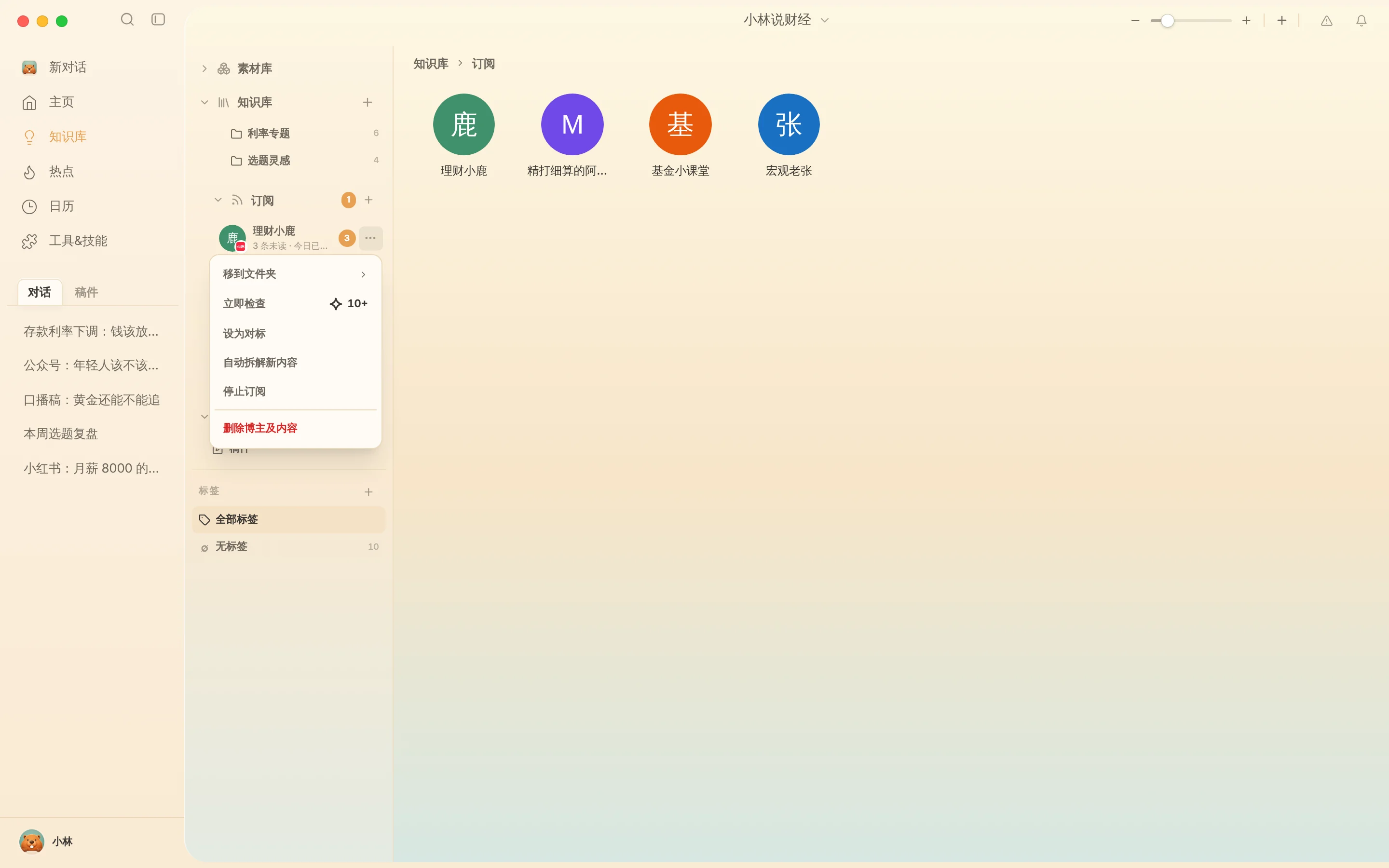
weibo.com/u/...or handle URL) in your browser rather than an individual post URL. - Add the subscription. Open Knowledge Base → Subscriptions → +, paste the profile link, and confirm. Beav displays daily credit notices when adding a 4th or 6th account and keeps each space crisp with a 10-subscription ceiling.
- Browse cleanly without feed ads. Double-click any avatar to read chronologically ordered posts in a quiet local timeline.
- Manage anytime from
…:- Mark as benchmark: Pin your most closely studied peers visually inside your workspace list.
- Check now: Pull new posts immediately during fast-moving events (~10 credits+).
- Move to folder: Group peers by category, such as "Brand Competitors," "Analysts," or "Editorial Voices."
- Stop / Resume subscription: Pause automated checks while keeping every captured post intact on disk (Delete creator & content permanently deletes all local entries).
Moving from tracked updates to finished content
- Inspect viral hits selectively via Decompose or comment reads. Tracked updates never drain credits on auto-decomposition; pick notable entries to run Weibo structure breakdown, or paste an entry's exact post link into chat asking AI to read its public comments too.
- Write your original stance and visuals. Bring extracted framing logic alongside your own proof into Weibo full content package.
How it compares with Weibo lists and external sentiment monitors
| Weibo Special Follows / Groups | External PR/sentiment trackers | Beav Subscriptions | |
|---|---|---|---|
| How new posts arrive | Mixed inside mobile feed updates and ads | Viewed inside browser sentiment portals | Archived chronologically inside your desktop library |
| Connection to writing | Scroll-and-forget experience | High-level analytics dashboards | Stored copy ready to Decompose, analyze comments, and cite |
| If an author hides/deletes posts | Disappears (including 6-month privacy limits) | Coverage varies by tier retention | Previously archived posts stay readable on disk |
| Limits & cost | Free, unlimited | Enterprise / paid SaaS tiers | Up to 10 per space; daily subscription checks spend credits |
Limits and notes
- Keep your own Weibo channel in Account profiles. Archive your own sent posts and snapshots under Weibo account data review.
- Local checks run only while Beav is open. Exiting the desktop app stops background polling and spends zero hidden credits.
- Verify facts before reacting. Reference peer posts for structure and discourse context only—verify breaking news via original sources and respect copyrights on images.
Next steps
- Only saving single posts or running hot-search queries? Read Save Weibo posts and comments.
- Combine peer tracking with hot-search reads and comment insights in Weibo topic ideas.
- Full column guide and docs: Weibo operation guide and Subscribe to benchmark creators.
Applies to Beav desktop 2.9 and later.