Key takeaways
- When a video is decomposed, its M4A music cues are copied to
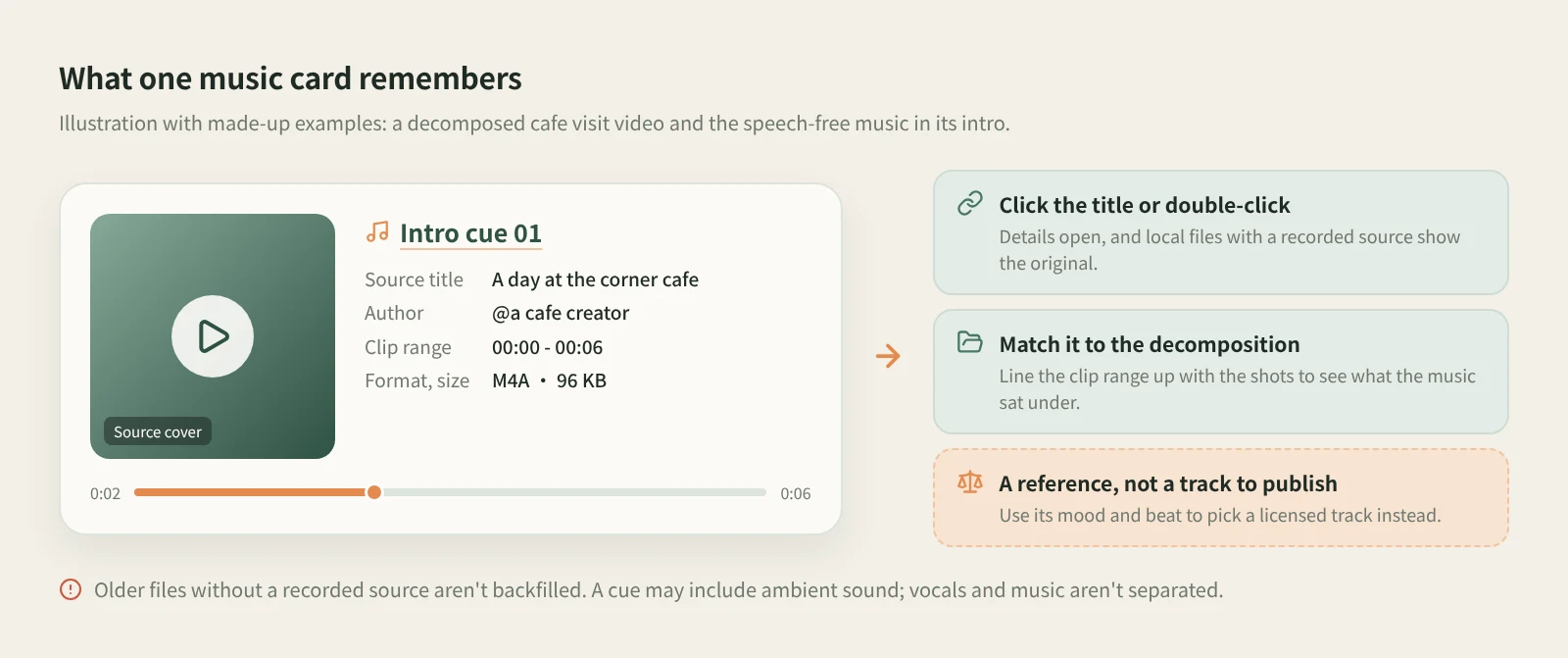
decompositions/<title>in the asset library along with the transcript text, keyframes and shot MP4 clips. Cues come from stretches with sound but no speech, so they may include ambient sound; this isn't vocal separation.- In the asset library's Music gallery, click a cover to listen. Each card shows the source title, author, the clip's range in the original, format and size. Click the title or double-click the card for details, and local files with a recorded source take you back to the original.
- When planning a new video, drag the music card into a chat as a reference and describe the mood and pace you want. The music belongs to its rights holders: publish with licensed music or your platform's library, and use the extracted cue only as a guide to mood and beat.
When a video sticks with you, it's often the music as much as the content: a few notes at the start that make you keep watching, a cut that lands right on the beat. Then, when it's time to make your own video, you can't remember which video it was or where in it the music came in.
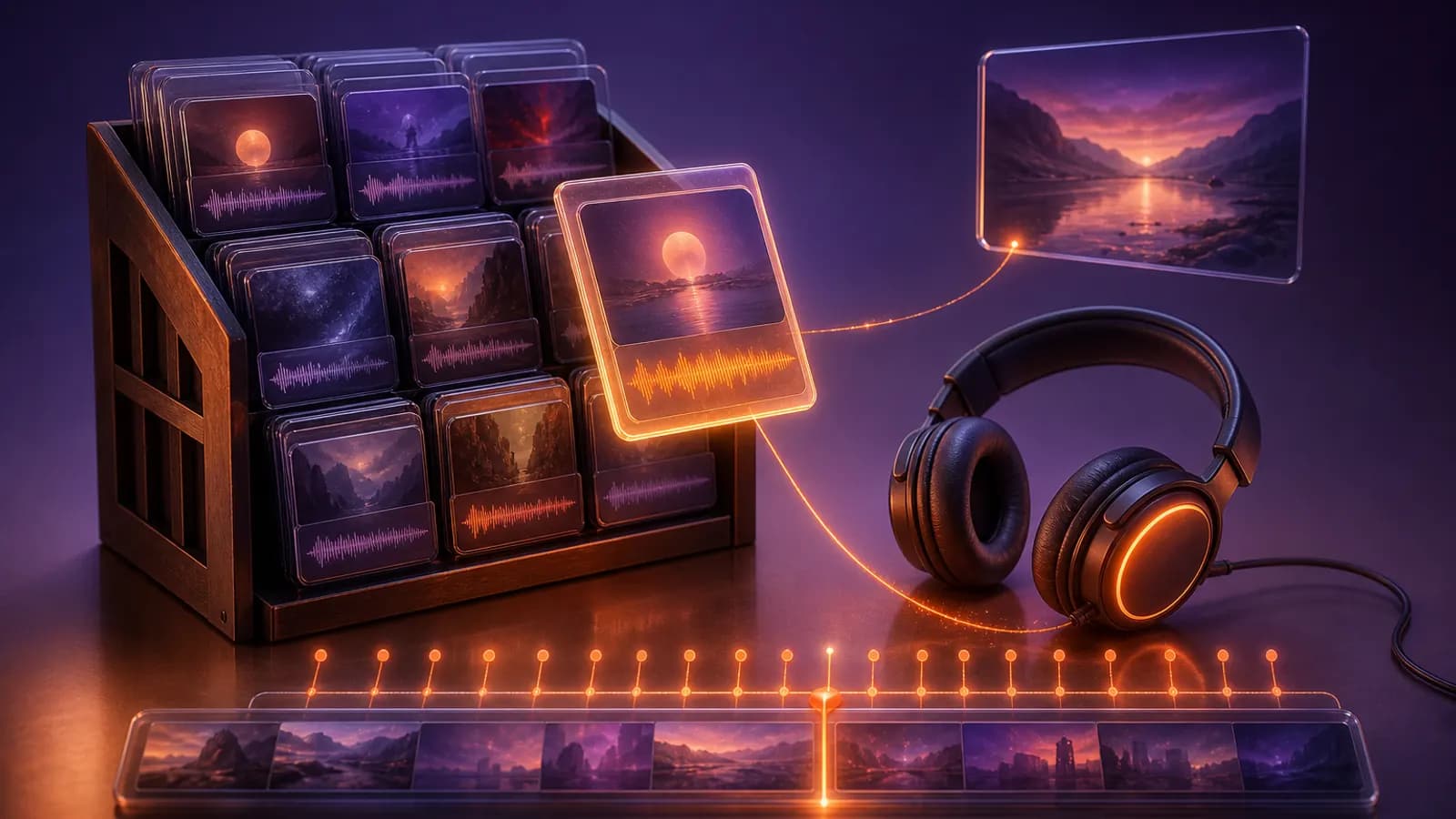
When Beav decomposes a video, it saves the stretches where nobody is talking as separate music cues in your asset library, with the source attached. Over time that becomes a wall of music: for every cue you can see which piece of content it came from and which part of the original it played under. Saving and decomposing are how you build a material library. Listening back, tracing the source and putting it to work in a new video is where it pays off.
Who it is for
- Creators making local-shop, unboxing or vlog videos who keep thinking "I want music that feels like that one video".
- People who have already decomposed a batch of reference videos and want to browse the music by mood and pace.
- Content leads and small teams who need to tell an editor exactly what kind of music a scene needs.
How to use it
Save the reference video to your knowledge base first: click + beside Knowledge Base, choose Add link and paste the link or share text. Add link goes through the capture service and uses quota according to its rules. Once the video has downloaded to your computer, open it and click Decompose, which uses model quota. The walkthrough is in breaking down a viral short video.
- Check that the music cues reached the asset library. The decomposition is copied to
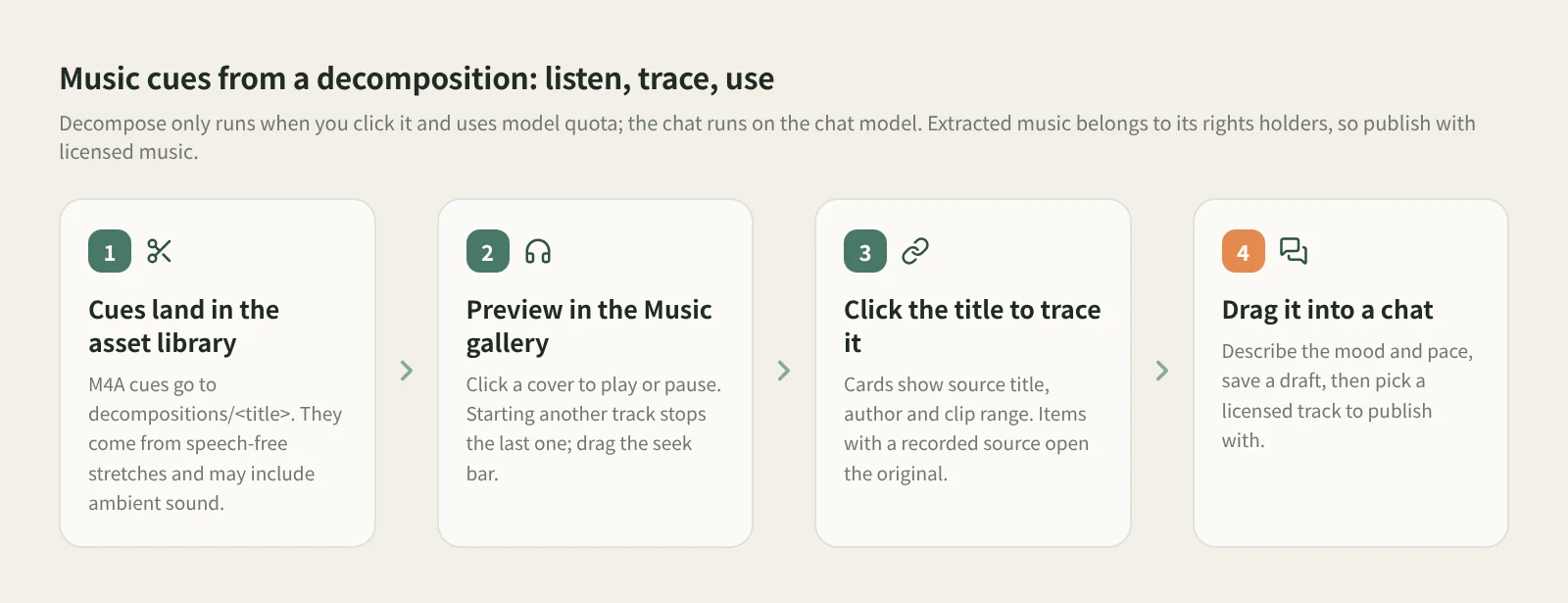
decompositions/<title>with the transcript text, keyframes, shot MP4 clips and M4A music cues. Items decomposed earlier keep拆解/<title>. Talking-head videos have few stretches without speech, so you may get only a cue or two from the intro and outro, or none at all. - Preview in the Music gallery. Open the asset library's Music category. Each cue is a wide track card. When the Knowledge source in the same space has a cover, it's used as the album art, and the card shows the saved source title, author, the clip's range in the original, format and size. Click the cover to play or pause; starting another track stops the previous one, and you can drag the seek bar once it's playing. The size slider adjusts both covers and card width.
- Trace the source. Click the title or double-click the card to open its details; local files with a recorded source let you view the original content. The clip range tells you which seconds of the original the music covers. Go back to the decomposition and match it against the shots to see which shots it sat under and where it came in and out.
- Drag it into a chat as a reference. Start a new chat. With the input box focused, press
⌘K(Ctrl+Kon Windows / Linux) to open the right sidebar, then drag the music card from Assets onto the input box. It goes along as a reference when you send. The docs don't say Beav analyzes a track's style, so listen yourself and spell out the mood and beat, for example "light and upbeat for the first 3 seconds, the cut to shot two lands on the downbeat". - Save it as a draft, then pick the music you'll publish with. Save the shot or voiceover structure together with notes on what each part needs musically. The draft keeps the video and audio still to be produced. When you publish, choose licensed music or a track from your platform's library, using the reference's mood and beat as your guide.
You can listen outside the app too. While Beav is running, open the local library page at http://127.0.0.1:31937/library in a browser or an AI tool's side panel. Music shows as player cards you can preview in place, with the track title, the source cover and a "From" label. Double-click or press Space for a larger player, and click the source title to open that Knowledge item. Tracks without a recorded source say so.
What about older files with no source? Beav doesn't fill in a source for historical files, and it won't guess one. To get a cue with its source attached, decompose the original video again.
How it compares with the usual ways
| Browsing the CapCut music library | Hunting from memory or with a song-ID app | Beav: the Music gallery | |
|---|---|---|---|
| Strength | A big, well-sorted library that drops straight into your edit | A song-ID app can name the track so you can find the original | The music from every reference you've collected sits in one place, with its source |
| Where the music comes from | The platform's library | A song you remember | Speech-free stretches of videos you decomposed |
| Getting back to the original video | Not applicable | Up to your memory | The card shows source title, author and clip range; click the title to open the original |
| Can you publish with it | Under CapCut's library terms | Depends on the original's license | Not by default. It belongs to the rights holders, so use it as a reference |
| Cost | Per CapCut's terms | Depends on the app | Decompose uses model quota; the chat runs on the chat model |
If you need music you can safely publish with, a platform library like CapCut's is the most direct route. If you want to know what a track is called or find a clean original, a song-ID app is the better fit; Beav doesn't identify songs or separate vocals. Beav suits people who already have plenty of reference videos saved: you can find which video had the great music and which part of it, then go to a licensed library and pick a track to match.
Limits and notes
- Licensing comes first. Extracted music belongs to its rights holders. For anything you publish or sell, use licensed music or your platform's library, and treat extracted cues as a guide to mood and beat.
- A cue isn't clean music. Cues come from stretches with sound but no speech, so they may carry ambient sound or effects, and vocals and music aren't separated. Listen before you rely on one.
- You need a decomposition, and the video has to be local. Decompose only runs when you click it; saving never triggers it. Items still downloading, or that failed to download, have no music cues.
- Shared spaces do less. In a shared space the Music gallery keeps file details and playback but doesn't read local Knowledge covers, and there's no Decompose option.
- Beav doesn't edit or post for you. It helps you find your references and write down what you need. Editing and publishing are yours.
Next steps
- Turn decomposed shots into your own shot list: shoot your own video from a decomposed shot script.
- Read cuts, words and music on one timeline: learning the pacing of a TikTok video. For why it's worth building up references over time, read the series overview, "Accumulation Is the Moat".
- Full reference: preview audio in the music gallery, decompose videos and notes and the local library page.
Applies to Beav desktop 2.9 and later.